 Getting started
 Pipeline
 Forecasts
 Deals
Deals Deals (advanced)
 Proposals
 Exports
 Resources
 Integrations
 Settings
 Glossary
 FAQs
FAQs Releases
Deal exports
IN THIS ARTICLE
Learn how to export a deal spreadsheet to share with internal stakeholders, or export to a work management platform.
How to export a deal
To export a deal, select Export... from the deal menu
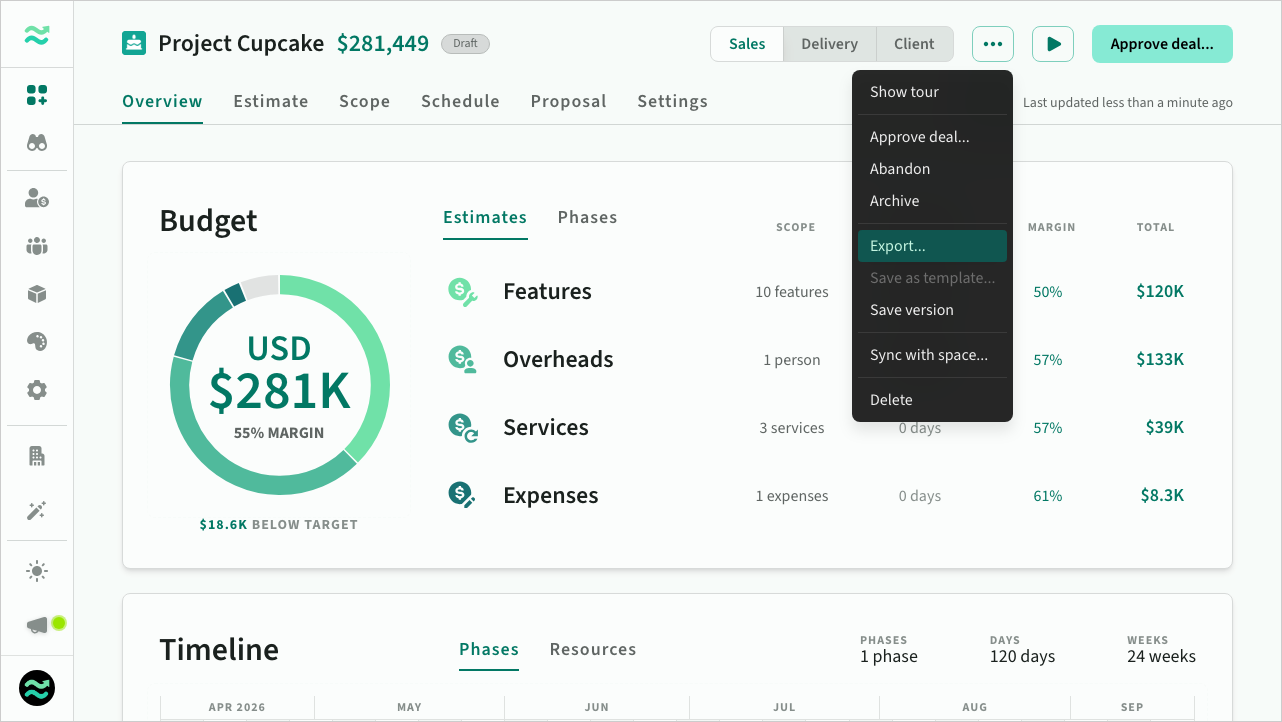 Exporting from the deal action menu
Export dialog
The export dialog provides several options
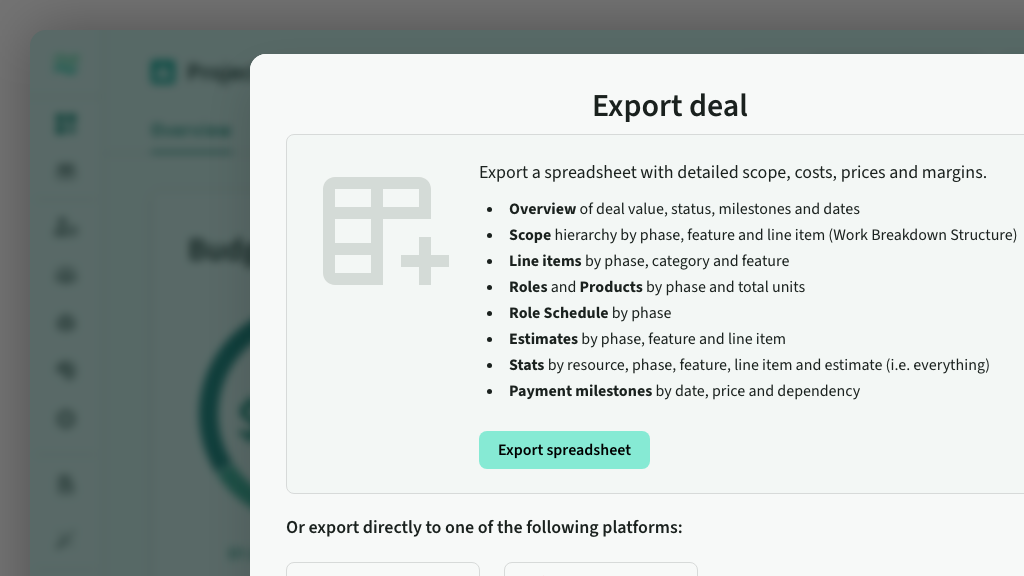
- Export spreadsheet with itemised estimates, prices, scope, schedules and much more.
- Export integrations for a range of work management platforms including Jira and ClickUp
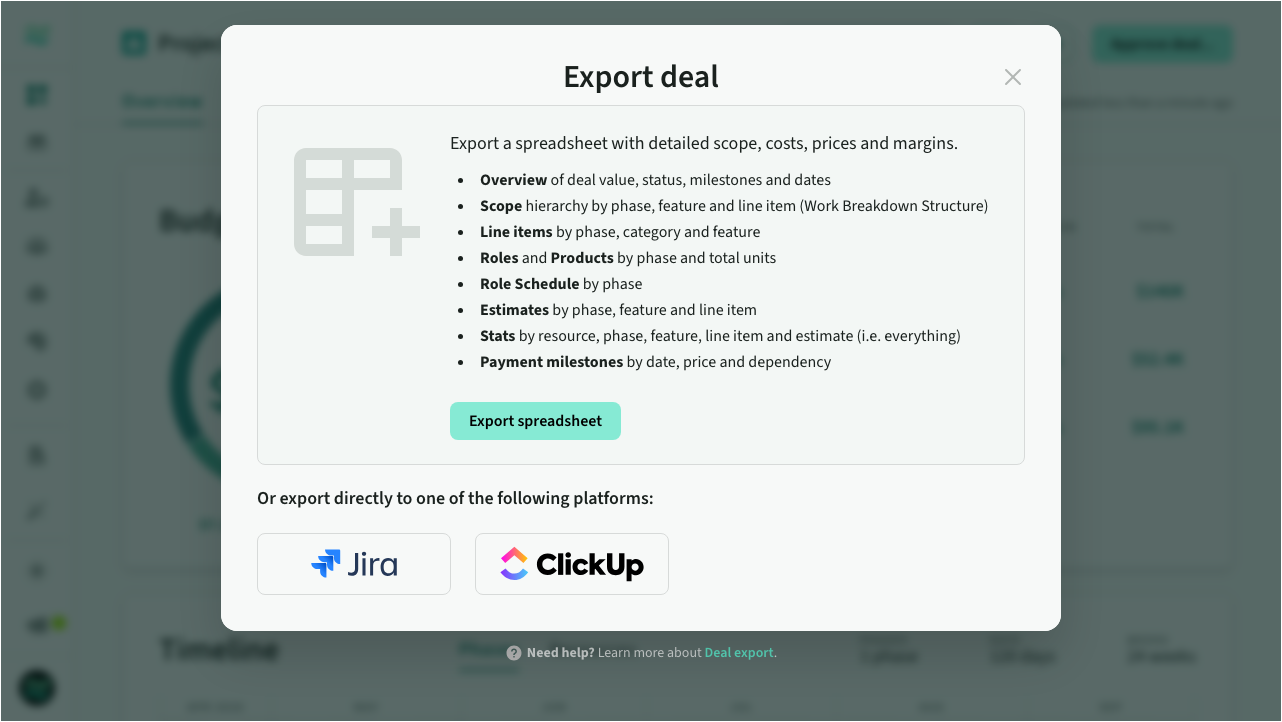 The export deal dialog
Spreadsheet export
The exported spreadsheet includes the following deal information:
- Overview of deal value, status and dates
- Scope of deal in standard work breakdown structure (WBS)
- Line items by phase, category and item
- Roles by phase and total units
- Schedules (across all phases)
- Products by phase and total units (if your deal has product-based estimates)
- Estimates by phase, category, item, line item and resource
- Stats by resource, phase, category, item, line item and estimate (i.e. everything)
- Payment milestones
Role tags and product tags are included in the relevant worksheets (Roles, Products, Schedule, Estimates, Stats), enabling downstream reporting and integration workflows.
Overview sheet
A commercial summary for the entire deal
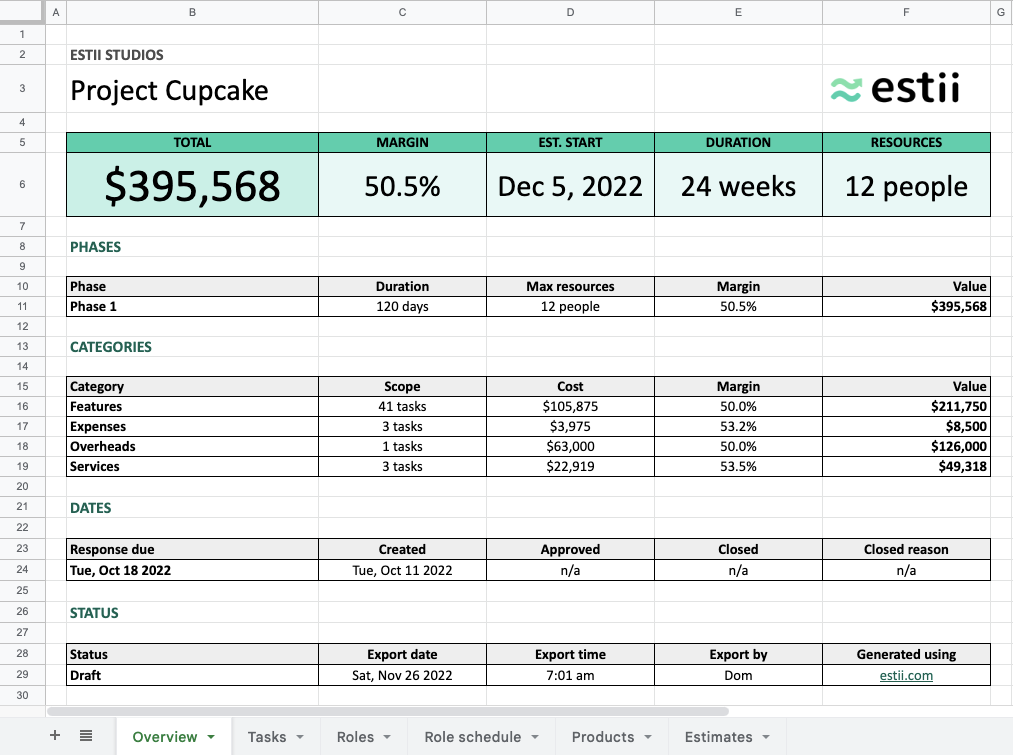 Exported deal overview sheet
Scope sheet
A hierarchical Work Breakdown Structure (WBS) to import into any project management or delivery tool.
- Numbered hierarchy
- Phase > Category > Section > Item > Line item
- Units, cost, price price and margin
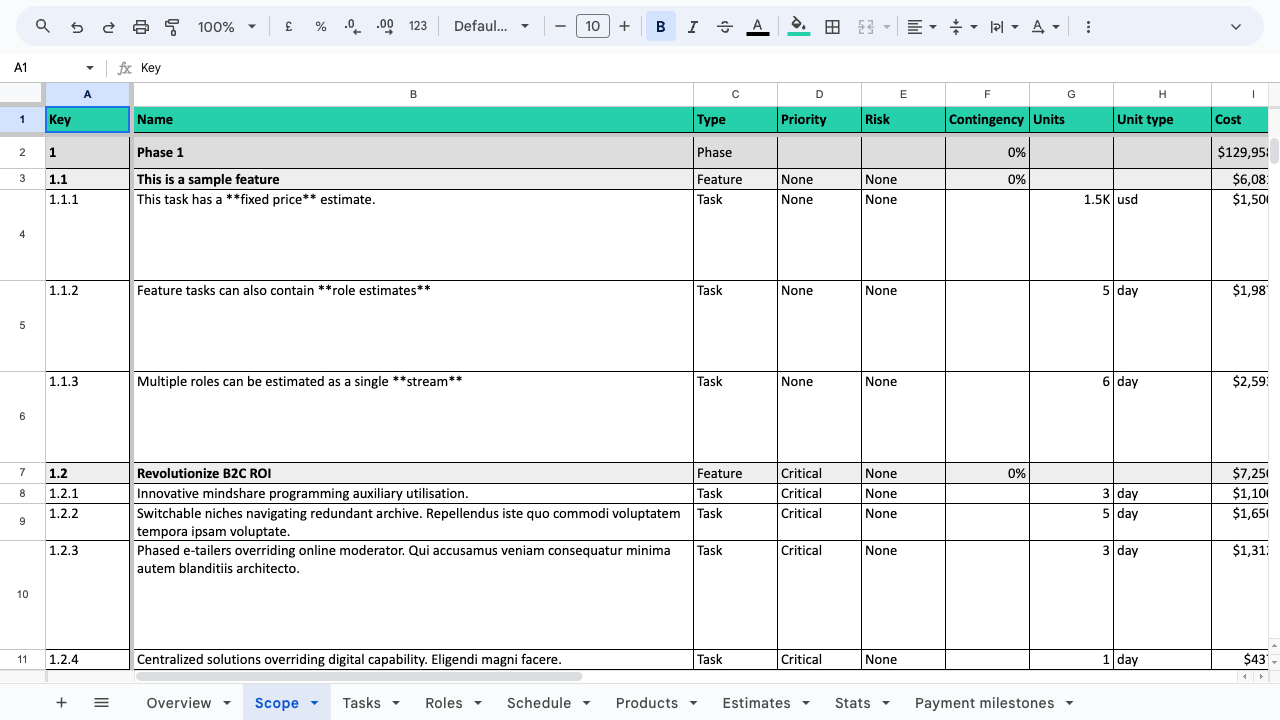 Exported deal scope sheet in WBS format
Line items sheet
A list of line items by phase, category and item
- Line item description, priority, risk and contingency
- Units, cost, price price and margin
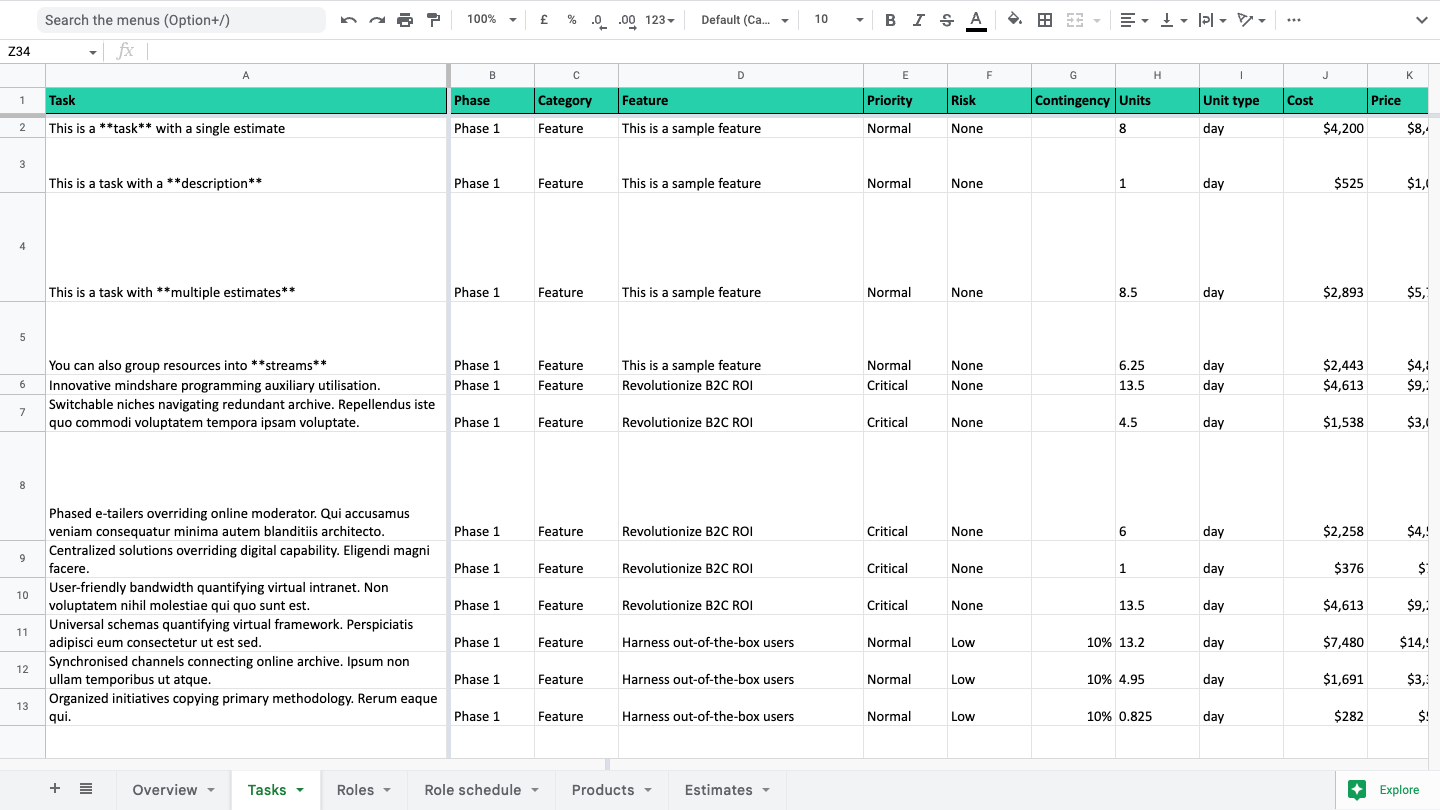 Exported deal items sheet
Roles sheet
A list of roles by phase (and stream)
- Units, unit cost, unit price
- Total cost, total price, margin
- Detailed calculation breakdown
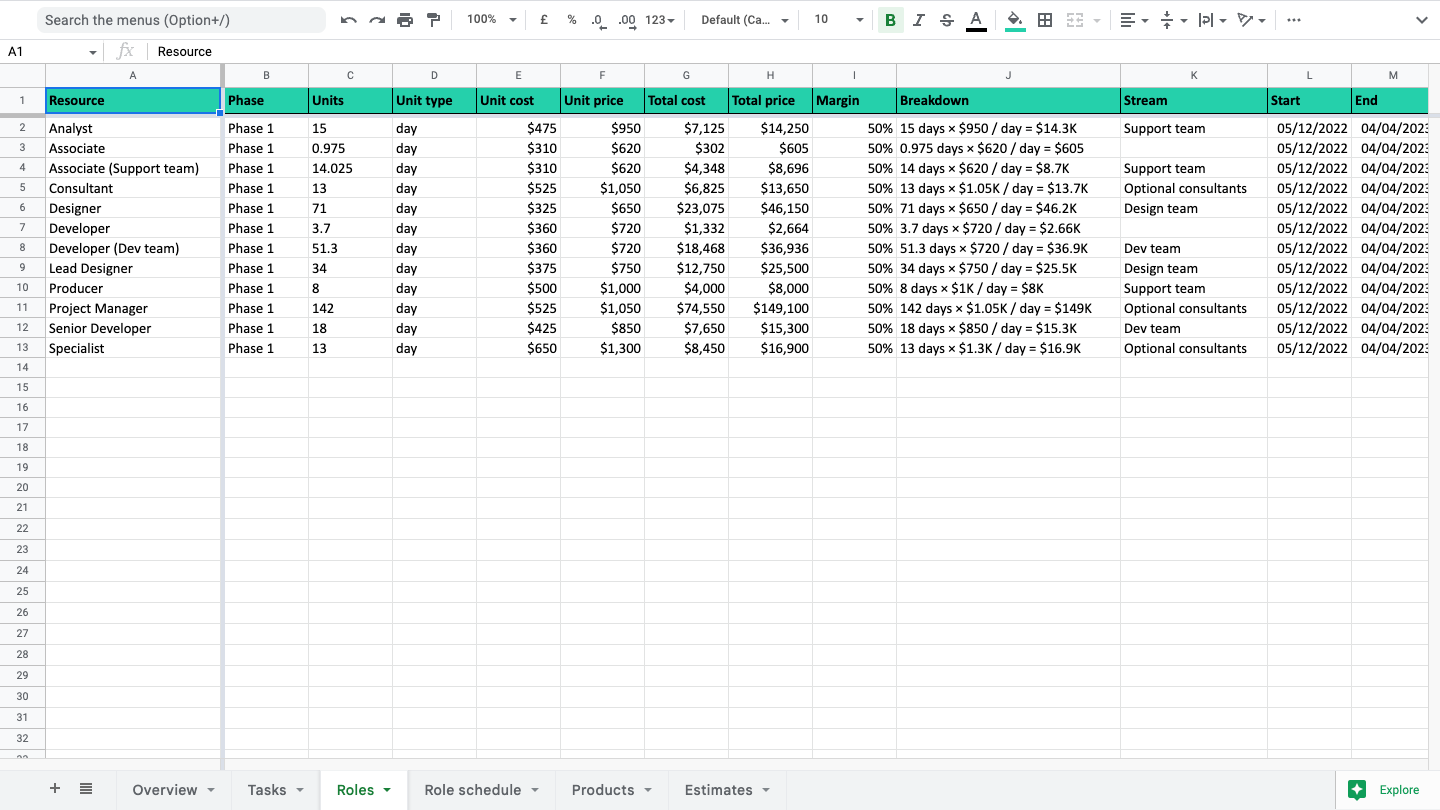 Exported deal roles sheet
Role schedule sheet
The per-role allocation based on each phase schedule (using the schedule delivery cycle to determine granularity)
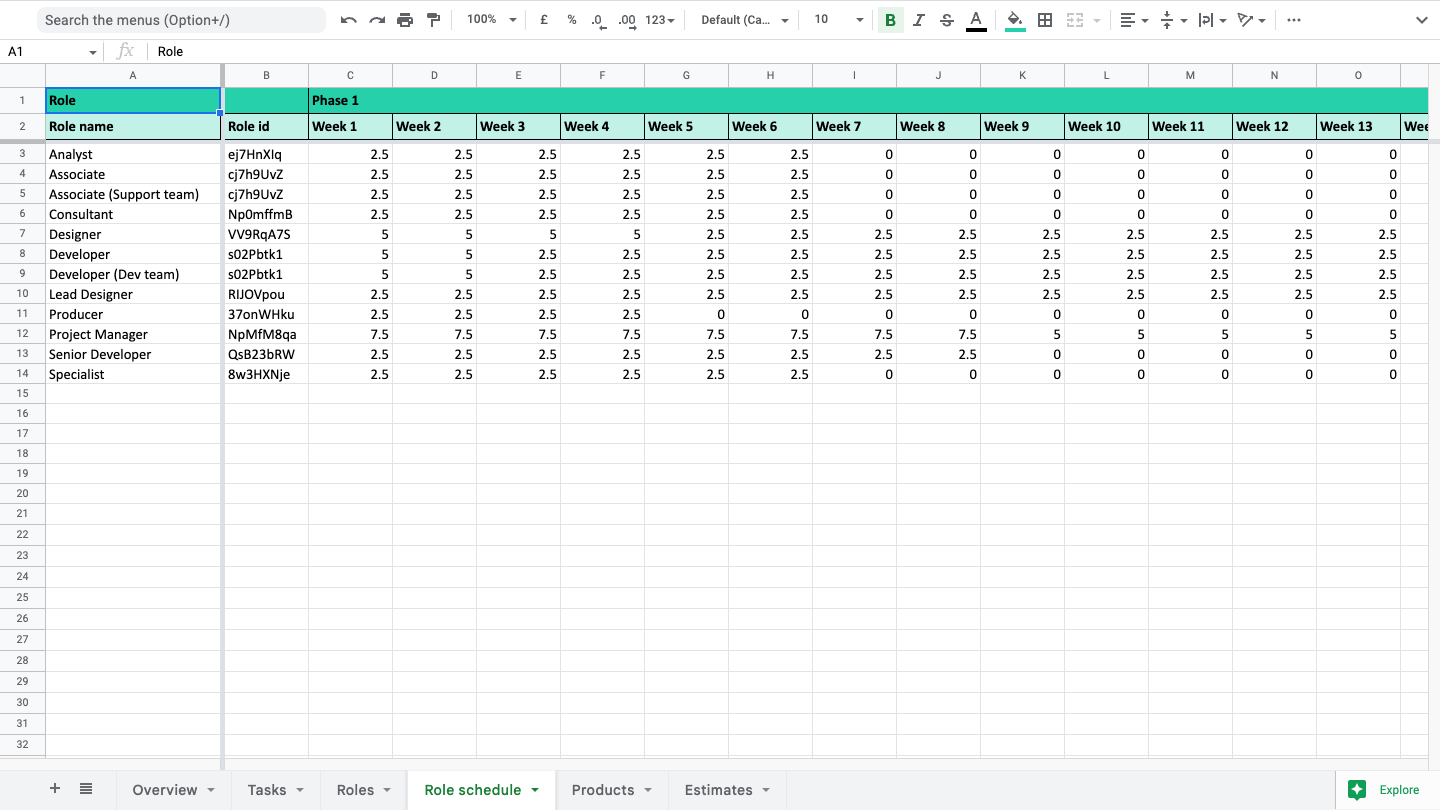 Exported deal schedule sheet
Products sheet
A list of products by phase (and stream). Only exported if a deal has product-based estimates
- Units, unit cost, unit price
- Total cost, total price, margin
- Detailed breakdown per resource
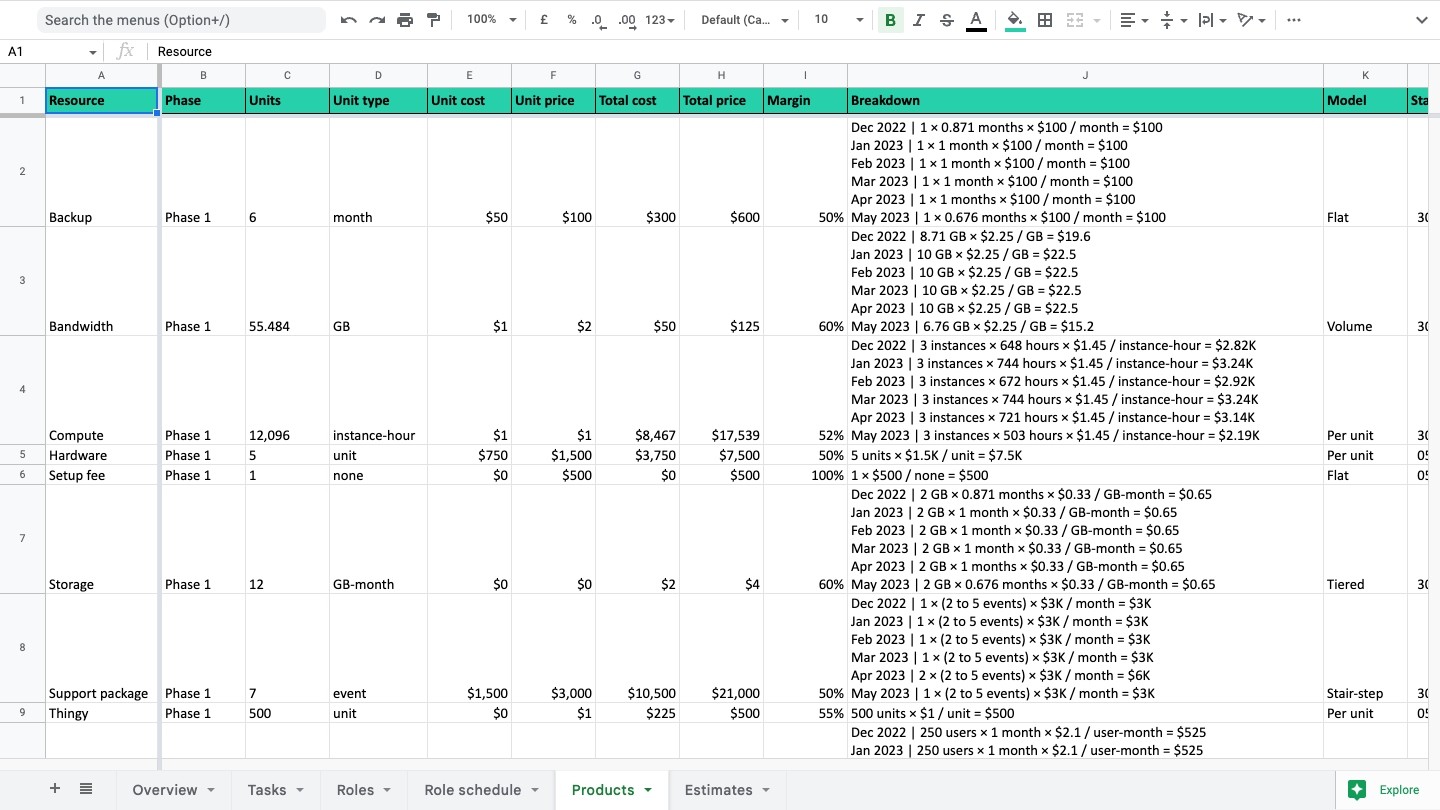 Exported deal products sheet
Estimates sheet
A list of every single estimate by phase, category, item, line item and resource. Includes roles, stream and product estimates
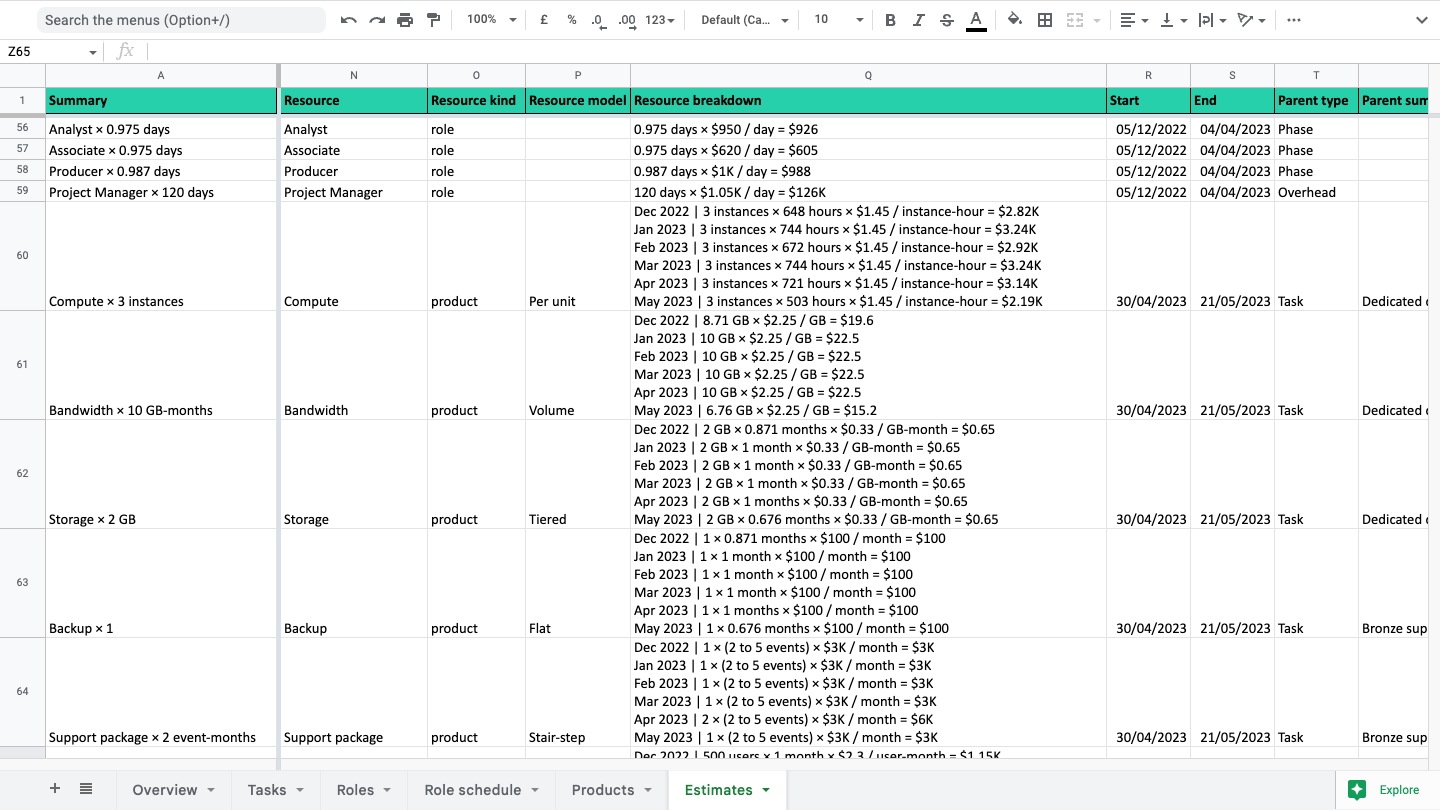 Exported deal estimates sheet
Stats sheet
Every single low level stats (our term for individual resource allocations) by resource, phase, category, item, line item and estimate (i.e. everything).
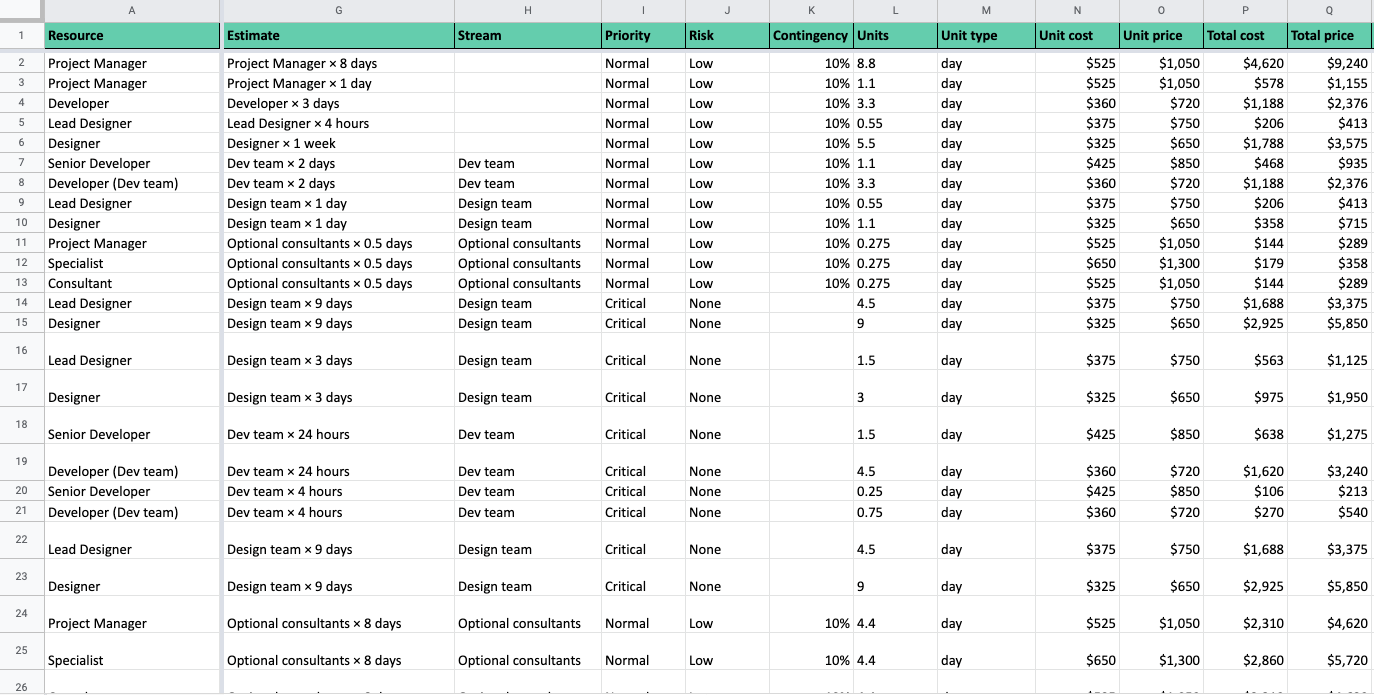 Exported deal stats sheet
Platform export
Estii also supports a number of export integrations. See the following guides for more information.
The Jira integration allows users to export deals into Jira projects using the deal exporter.
The ClickUp integration allows users to export deals into ClickUp projects using the deal exporter.
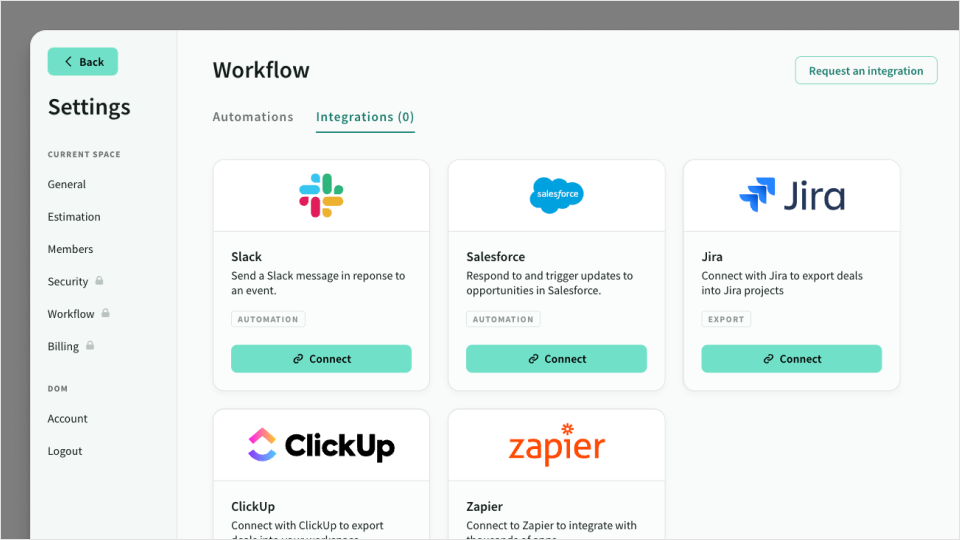
Integrations enable Estii to interact with other platforms like Salesforce and Slack.