 Getting started
 Pipeline
 Forecasts
 Deals
Deals Deals (advanced)
 Proposals
 Exports
 Resources
 Integrations
 Settings
 Glossary
 FAQs
FAQs Releases
Roles
IN THIS ARTICLE
Roles are time-based resources for estimating effort. These roles are shared across all rate cards in your space.
Roles are located in Space > Roles.
Roles overview
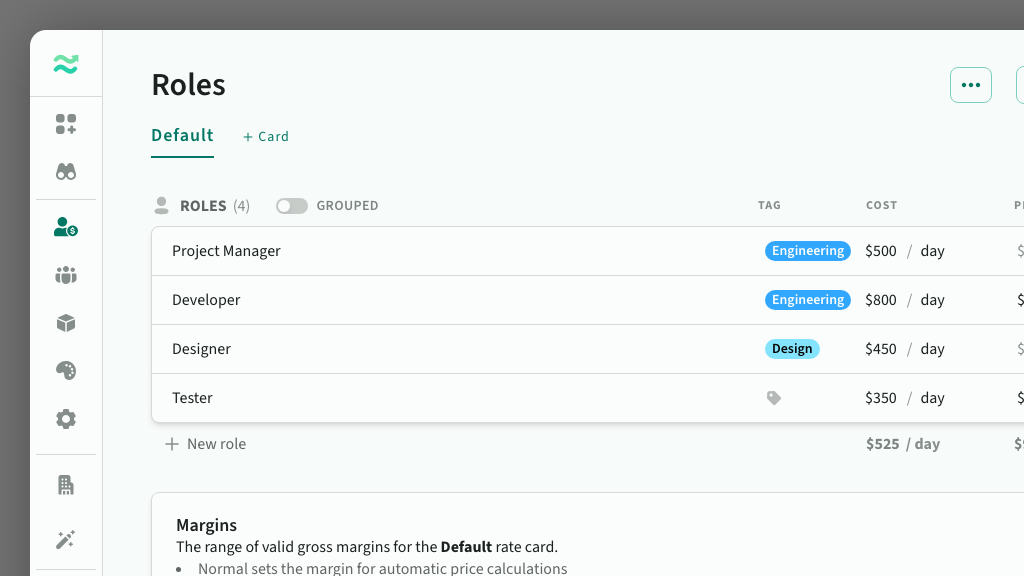
Each role has a unique name, as well as a cost, price and margin (per rate card).
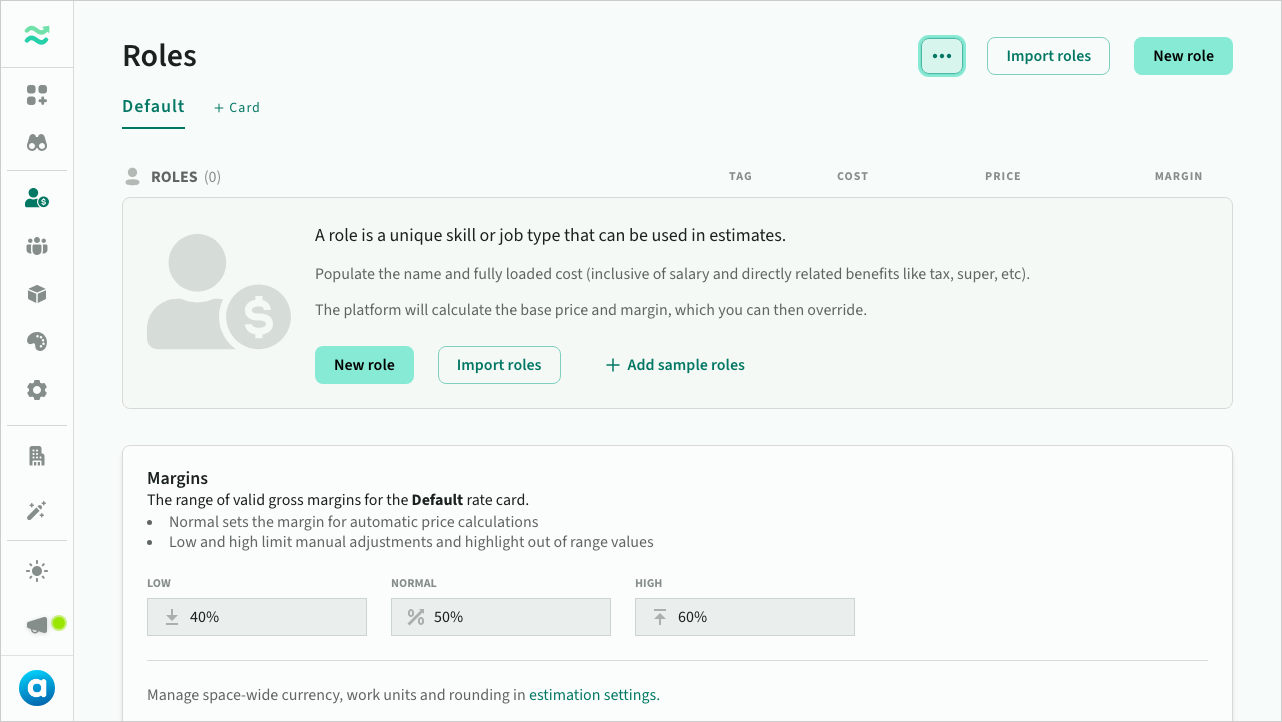 An empty roles page
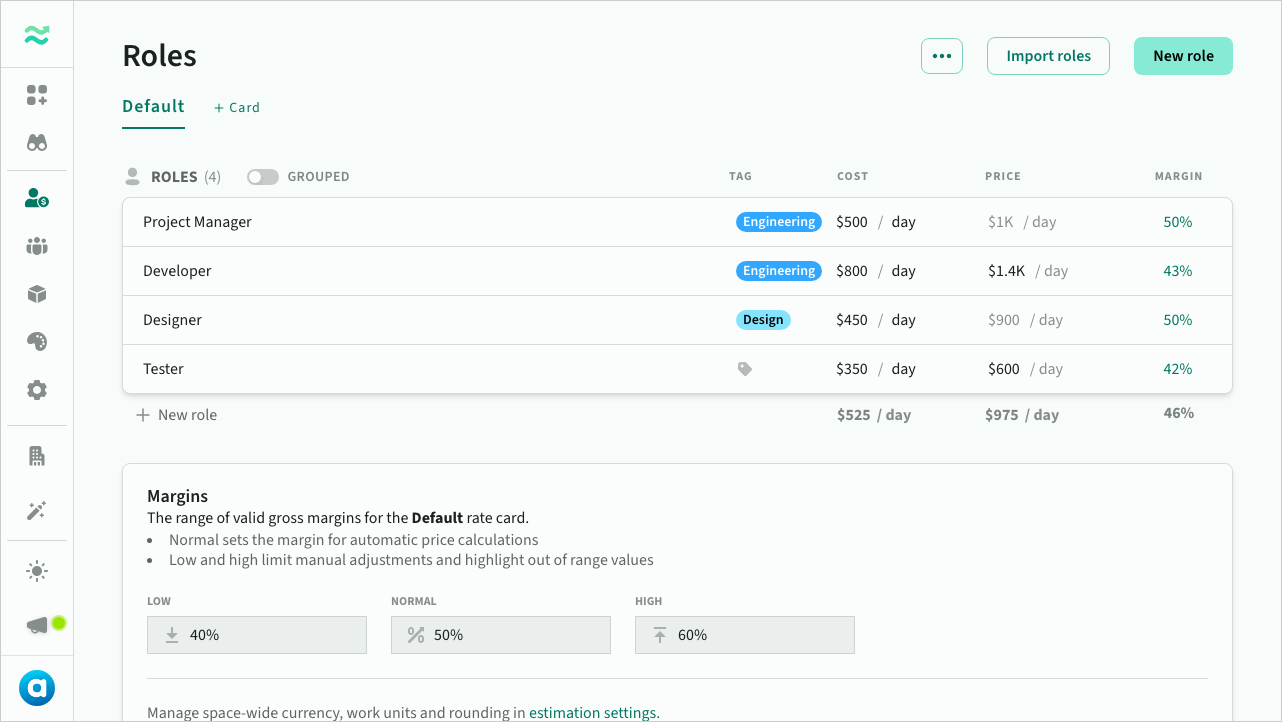 A populated roles page
Role cost
- Cost is the raw internal value
- Cost period is the time period used to calculate cost (e.g. per hour, day or year). If a period is not set, it defaults to the rate card period (which defaults to days)
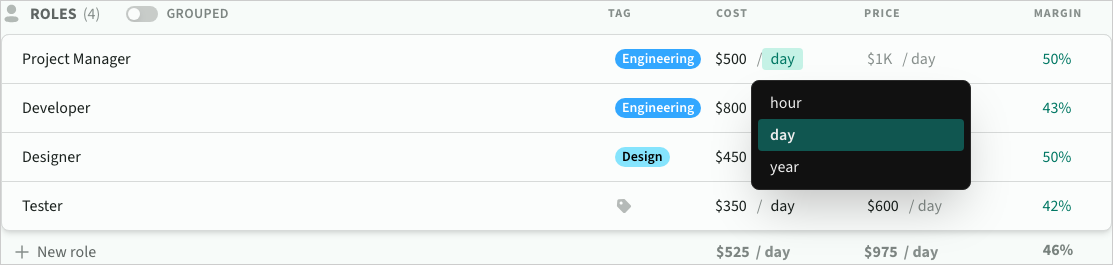 Selecting the cost time period for a role
Role price and margin
- Price is the value used in estimates. By default, it is calculated automatically using the rate card’s margin, however you can input a fixed value to control the price and margin per role.
- Price period is locked to the rate card period. When the rate card period changes, fixed prices will automatically recalculate (e.g.
1K/daywill update to$125/hour) - Margin is calculated automatically using the cost and price. If the margin is above or below the margin range for the rate card, it will highlight in orange.
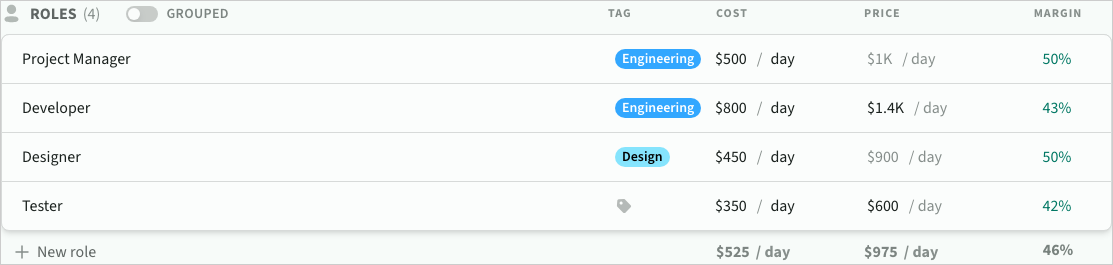 Cost, price and margin for an example rate card
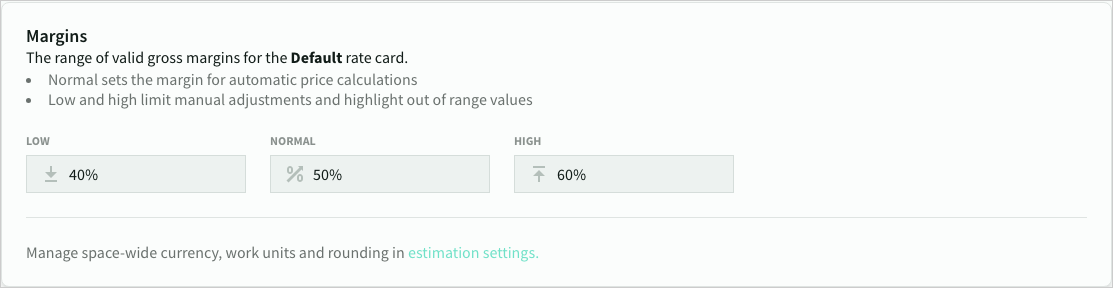 Margin settings for a rate card
Role actions
Add role
To add a new role, click New role and enter a unique name.
- The role will be added to all rate cards in the space, and inherit the default cost, price and margin from the default rate card.
- You can also import your existing roles and rates cards from a CSV file (see import/export section below)
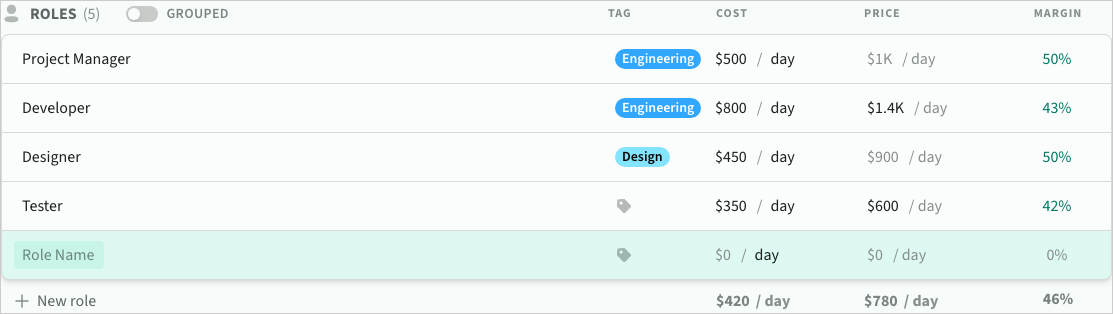 A newly created role
Edit role
- To edit a role, click the name, cost or price. Margins (and automatic prices) will recalculate automatically.
- Editing an existing cost period will automatically recalculate the value to the new scale (e.g.
1K/daywill update to$125/hour)
Delete role
If a role is already in use, you will be prompted to choose one of the following options before it can be removed
- Map all references to another role
- Remove all existing references
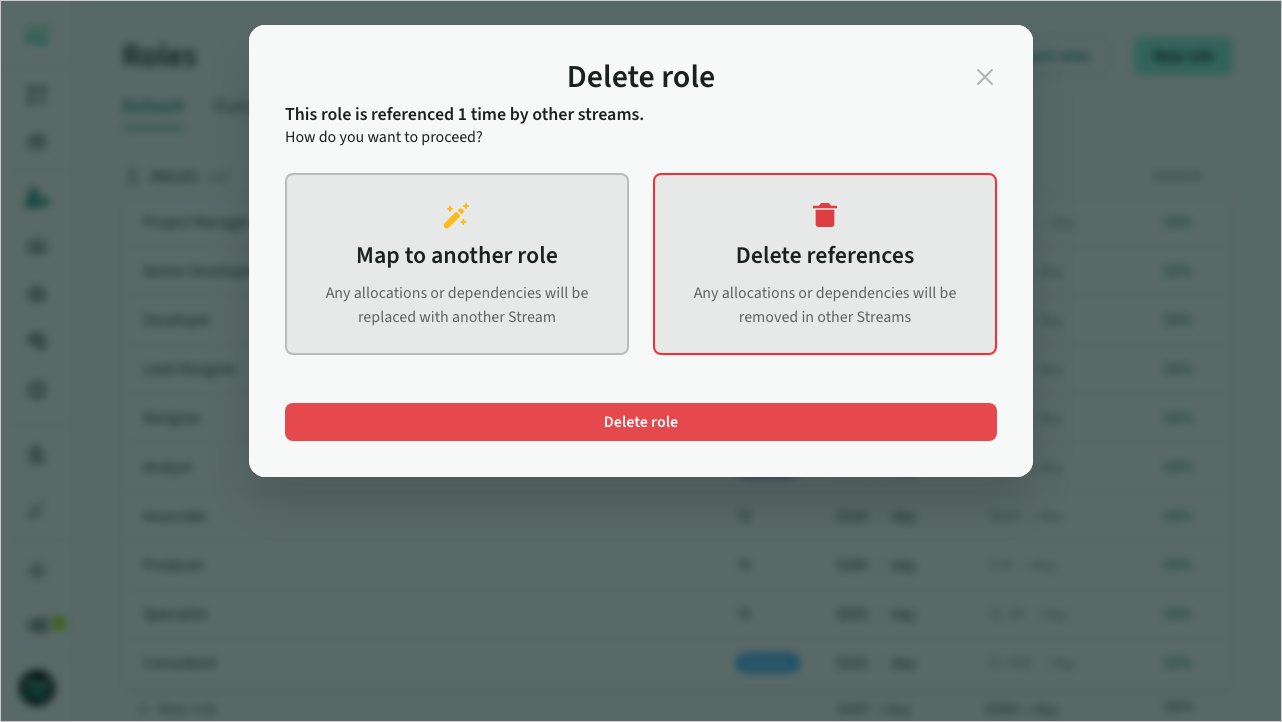 Deleting a role
Group roles
Roles can be assigned to a tag for organizational grouping. Tags help identify roles by department, practice, or initiative.
- To assign a tag, click the tag column and select or create a tag
- Use grouped view to organize roles by tag (toggle in header)
- Drag roles between groups to reassign tags
- Roles without a tag appear in an "Untagged" group
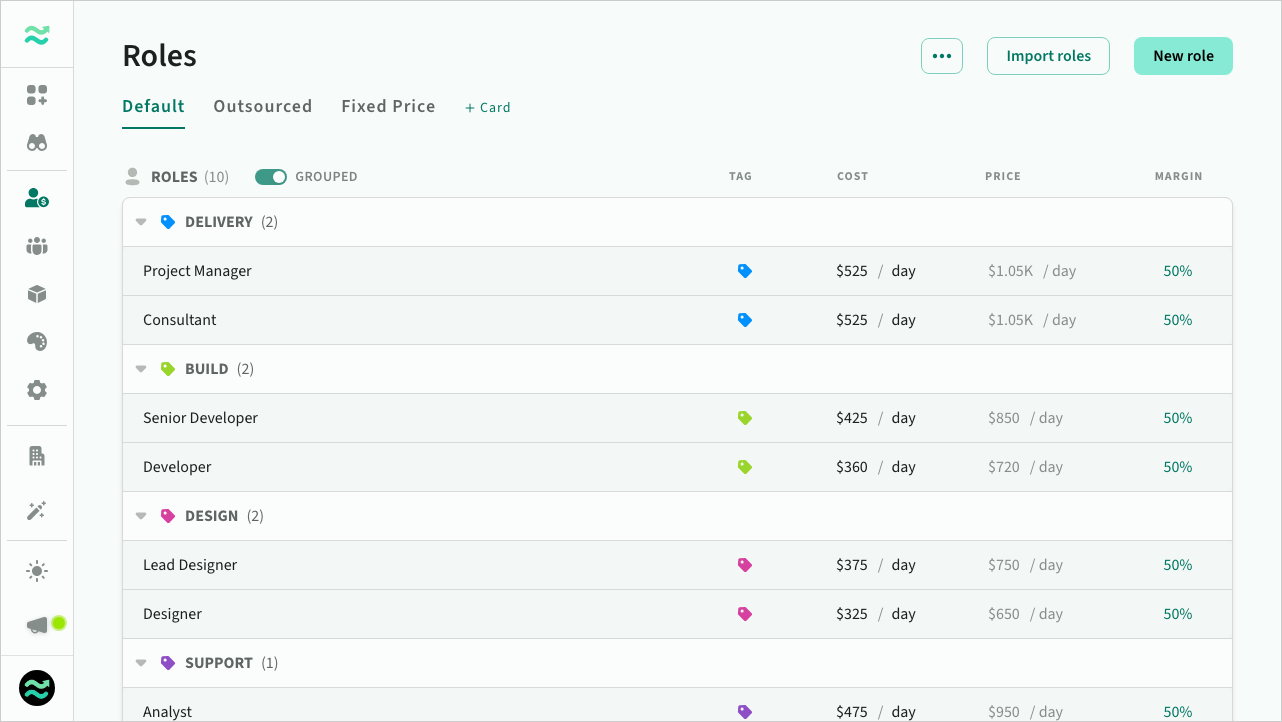 Roles grouped by tag
Tags color-code roles throughout the platform—making it easier to scan resources when estimating and scoping. You can filter deal estimates by role tag to see costs per department or initiative, and tags are included in deal exports for downstream reporting.
Reorder roles
Roles can be reordered via drag and drop. The order of roles and categories determines their display order elsewhere in the space (such as in autocomplete drop downs)
Import / export roles
Import roles
You can import roles from any spreadsheet or CSV format using the role importer.
See Importing roles and rate cards for more details
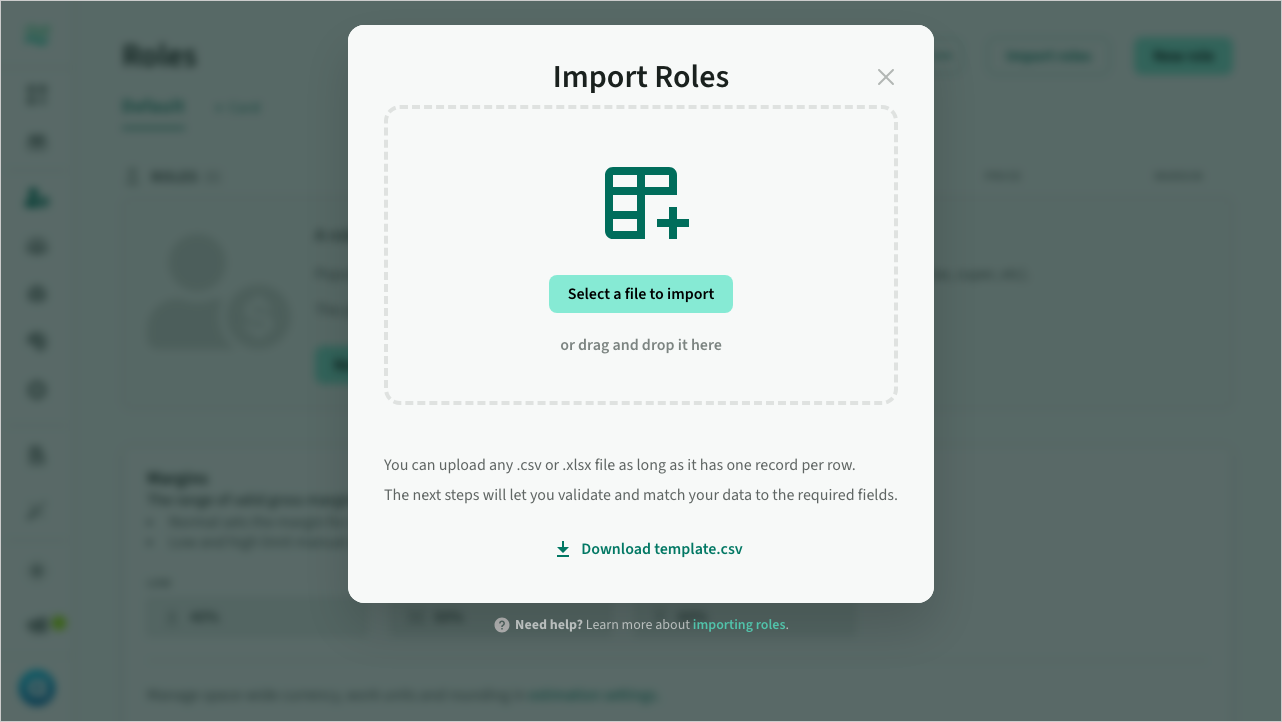 Importing roles from CSV
Export roles to CSV
Select Export roles from the ... menu to export all your roles and rate cards to a CSV file.
You can import and export roles and rate cards using the default CSV format below:
| Column | Description | Notes |
|---|---|---|
| Name | Name of the resource | Required, unique per card |
| Tag | Role tag name | Optional |
| Card | The name of the rate card | Required. Use Default for the standard rates |
| Cost | The cost value (in the space currency) | Required |
| Cost unit | The cost time period (e.g. hour, day or year) | Required. Defaults to space work unit if blank |
| Cost set | Flag to indicate if cost is fixed or automatic | |
| Price | A price value (if mode is fixed) | Optional. (if Price Set is 0) |
| Price unit | A price time period (if mode is fixed) | Export only (set by space work unit) |
| Price set | Flag to indicate if price is fixed or automatic | Required. Either 1 or 0 |
| Margin | The calculated margin of the role | Export only, ignored on import |
Example 1:
Name,Tag,Card,Cost,Cost Unit,Cost Set,Price,Price Unit,Price Set
Project Manager,Delivery,Default,500,day,1,,day,0
Developer,Engineering,Default,800,day,1,1400,day,1
Designer,Design,Default,450,day,1,,day,0
Tester,Engineering,Default,350,day,1,600,day,1
Example 2:
Name,Tag,Card,Cost,Cost Unit,Cost Set,Price,Price Unit,Price Set,Margin
Project Manager,Delivery,Default,500,day,1,1000,day,0,50%
Developer,Engineering,Default,800,day,1,1400,day,1,43%
Designer,Design,Default,450,day,1,900,day,0,50%
Tester,Engineering,Default,350,day,1,600,day,1,42%
Allocating roles
Deal roles and rate cards
Deals store a versioned copy of roles, rate cards and streams that can be updated from within a deal.
Stream allocations
- Roles can be allocated to streams
Estimates
- Roles can be assigned to line items within an item
- Roles can be allocated as recurring resources within a category