 Getting started
 Pipeline
 Forecasts
 Deals
Deals Deals (advanced)
 Proposals
 Exports
 Resources
 Integrations
 Settings
 Glossary
 FAQs
FAQs Releases
What is a deal?

IN THIS ARTICLE
Deals are the individual revenue opportunities that you manage in Estii. This article introduces the deal hierarchy and the key concepts for estimating, pricing and presenting deals.
The deal hierarchy
Unlike a flat spreadsheet or price list, Estii has a hierarchical commercial model to make collaborating on deals more efficient, scalable and automated. The structure can provide a bit of a learning curve, but once you gain familiarity with its structure, you'll be able to estimate and manipulate complex budgets with ease.
The illustration below shows the overall deal hierarchy and key elements within them.
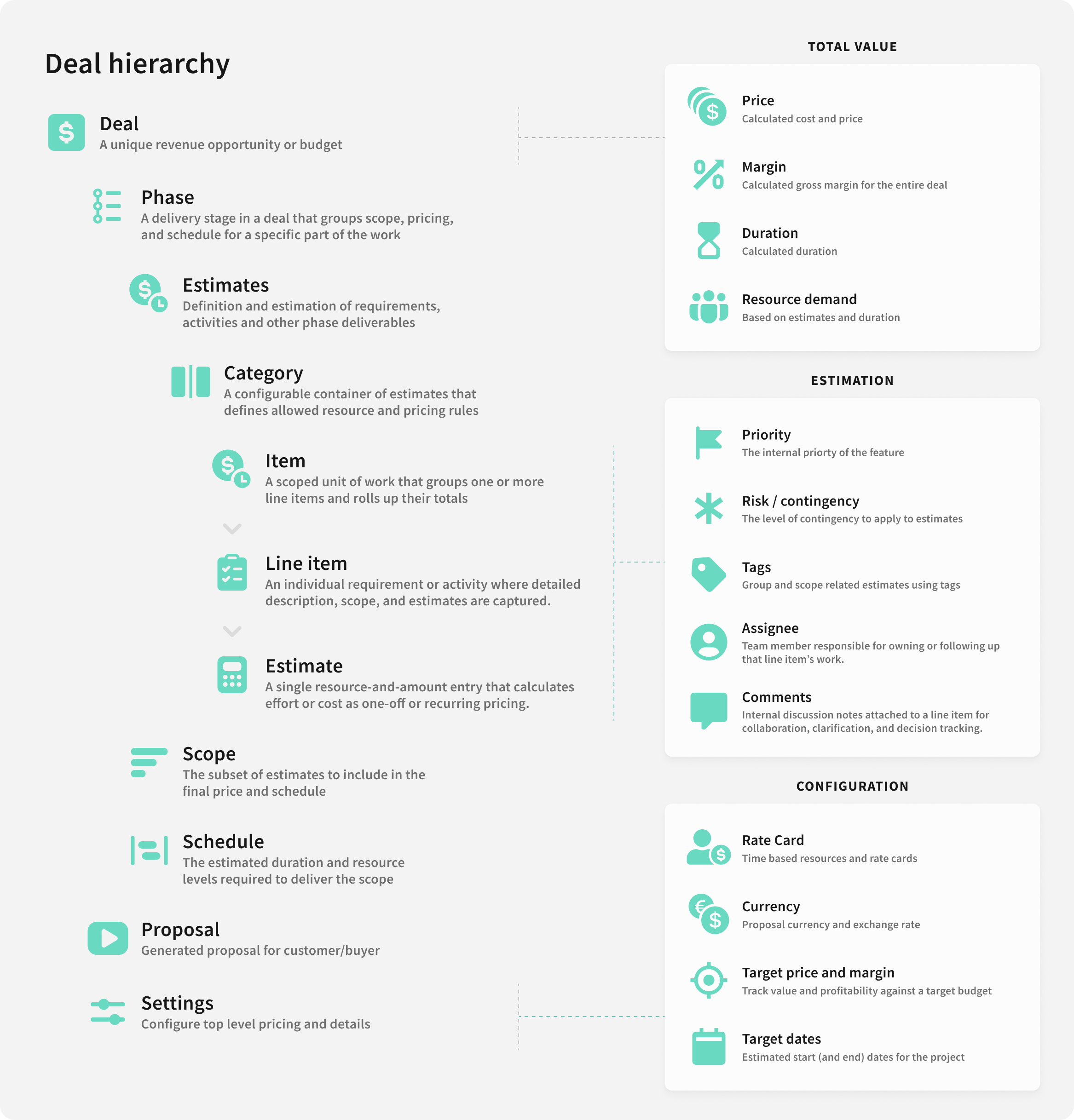 Deals are structured as a hierarchy of objects
Deals
The deal page is the top of the deal hierarchy, and contains an overview of the deal size, price and activity
The deal header provides a summary of the deal value and status
- Progress the deal status (approve, close, etc)
- Present and export proposals for customers (the play icon)
 The deal header
Overview
The overview tab provides a summary of the deal budget, timeline and workflow.
- Budget breakdown by category across phases
- Budget breakdown by phase
- Timeline breakdown by phase (duration, resource count)
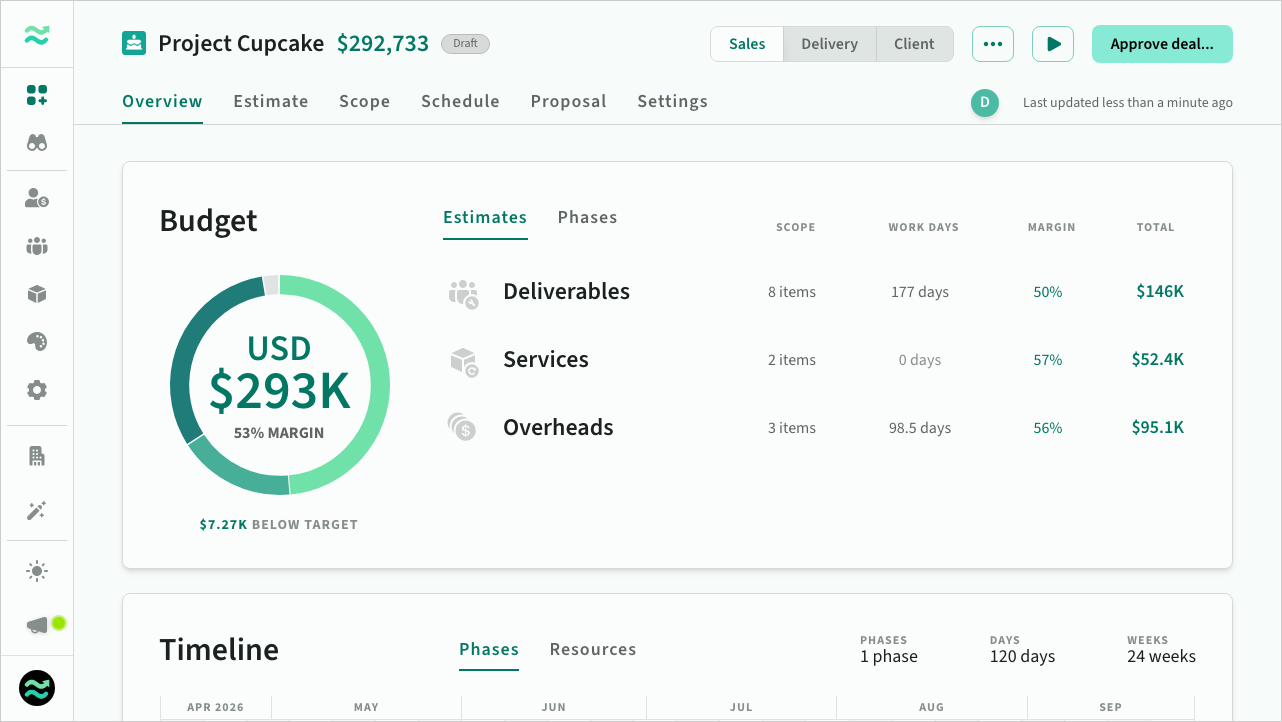 The deal overview screen
Estimation
The first stage of the deal creation workflow is estimating requirements and deliverables.
Estimates are organised within each phase using the following hierarchy:
Phase → Category → Section → Item → Line item → Estimate
- Categories are configurable containers defined by your phase template. Each category controls which resource types and pricing models are available
- Sections are optional groupings within a category, useful for organising related items with subtotals
- Items are collections of line items related to a functional area or deliverable
- Line items are individual requirements or tasks, each with one or more estimates
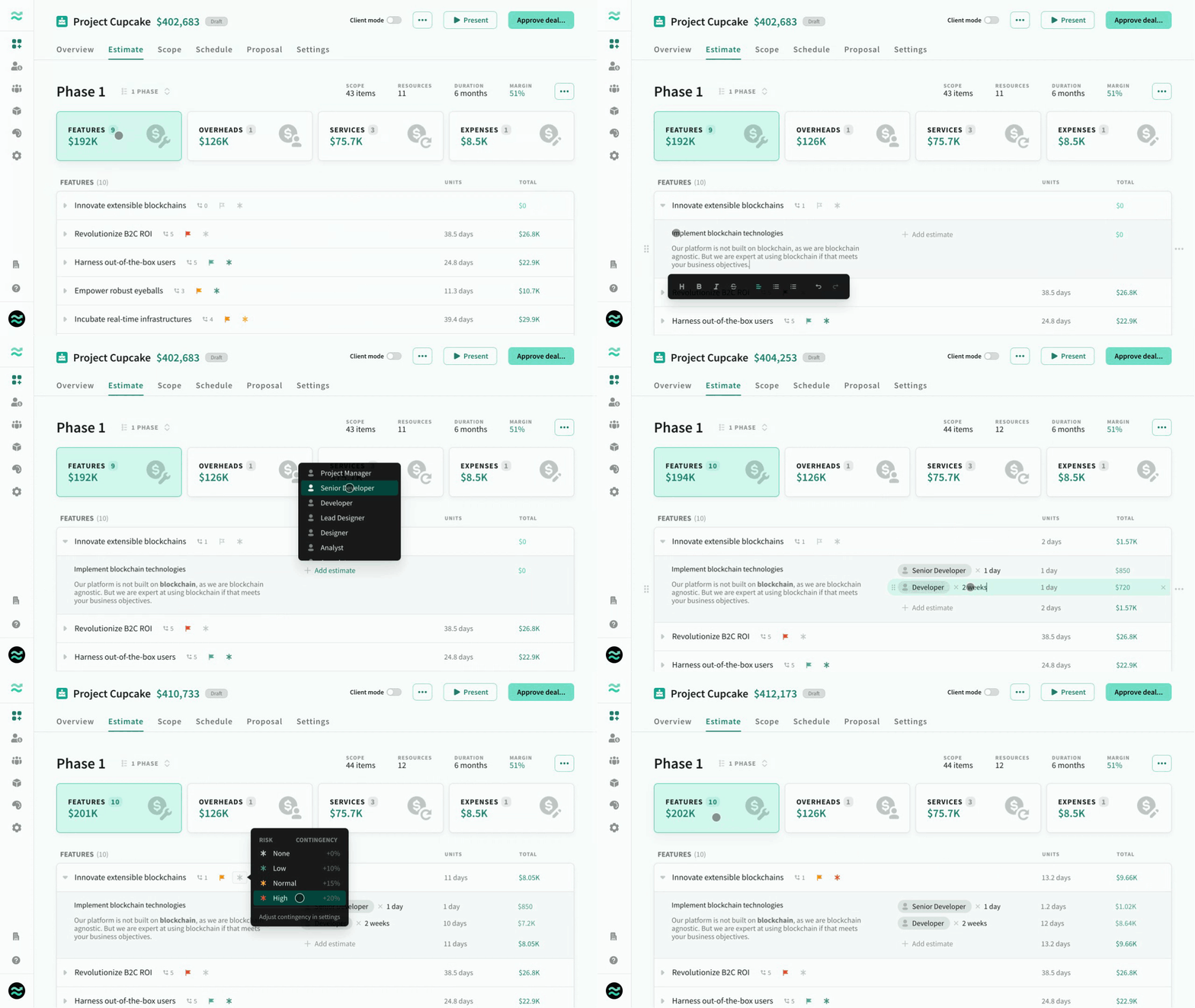 Editing items, line items and estimates
Phases
Phases are the sequential stages of a budget
Each phase contains a separate budget and duration. You can view or create phases from the overview, or switch between phases from other deal pages.
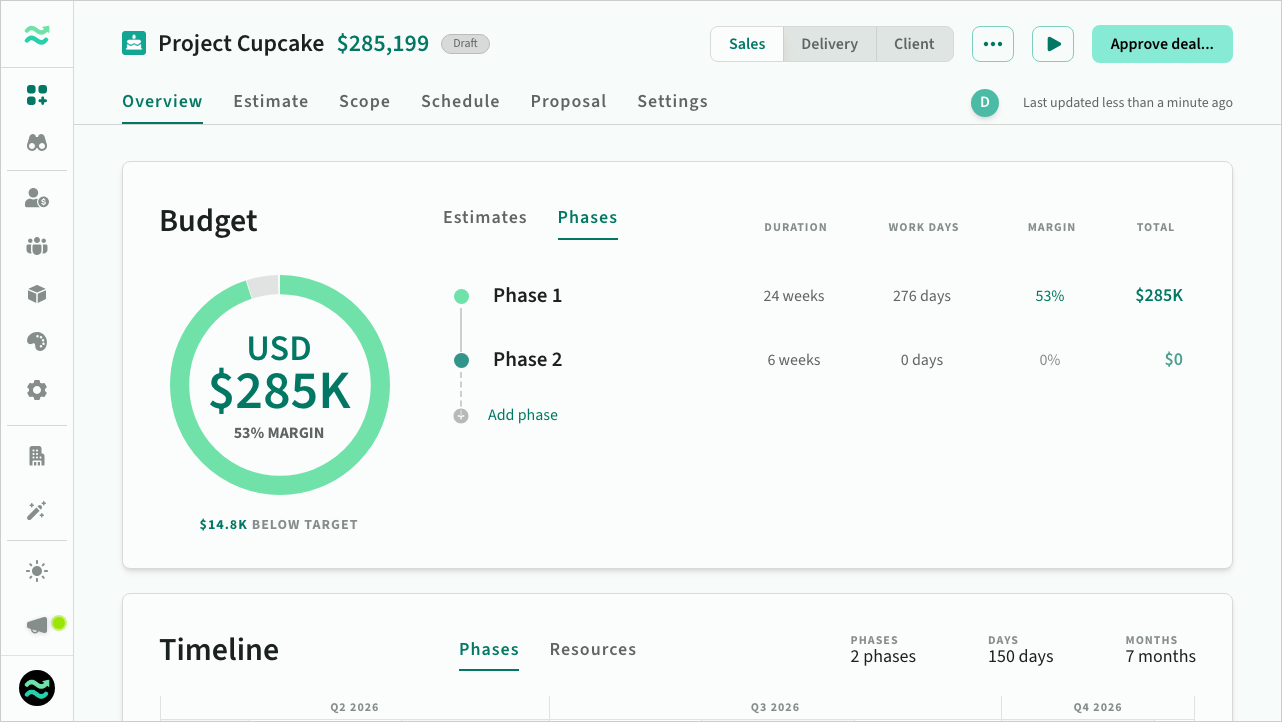 Deal phases on the overview screen
Items
An Item is a collection of line items and estimates related to a functional area or deliverable within a category
- Items contain line items and estimates
- Items have priority and risk/contingency level
- Items provide a roll-up of the total units (effort) and value (price) of all line items
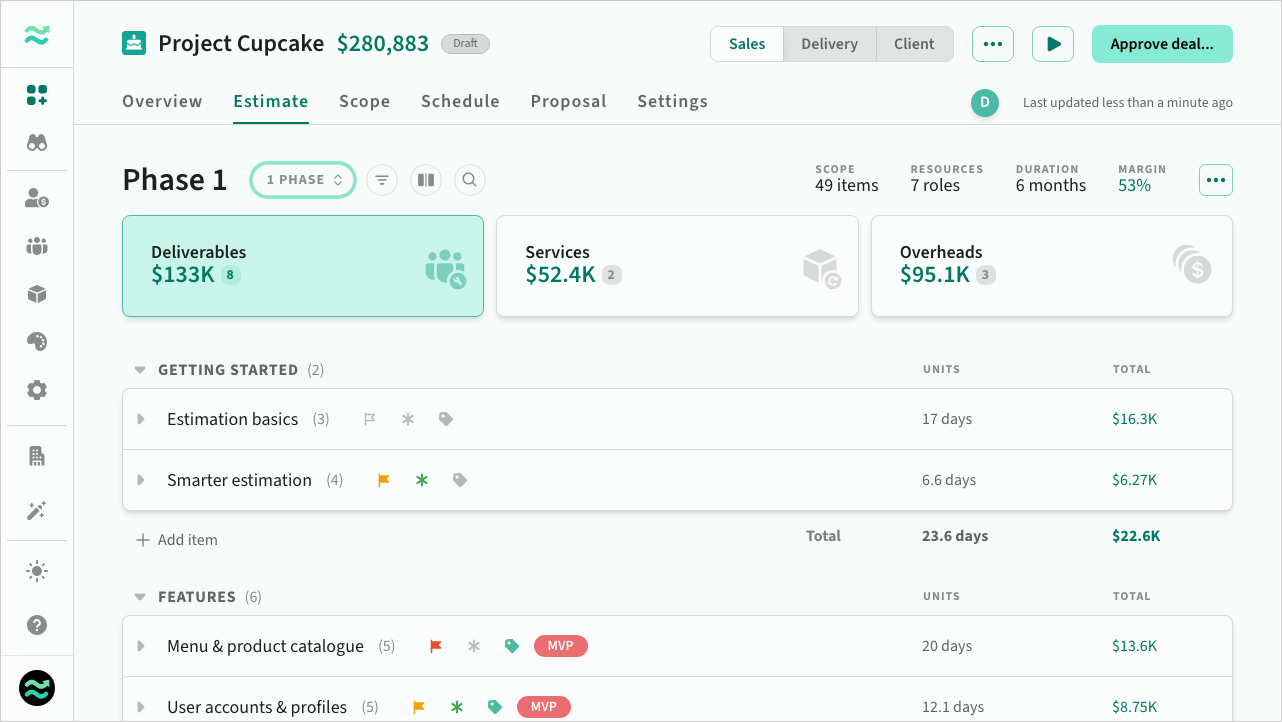 The estimates screen
Line items and assumptions
A Line item is a description of a single requirement or task within an item with one or more estimates
Line items are a fundamental element of Estii — where you describe and estimate individual requirements within an item.
- Line items contain a description of the included requirements or deliverables
- Line items contain zero or more estimates — resource allocations of effort or cost
- A line item with zero estimates is called an assumption
Each estimate is a calculation of effort (for example 10 days x web stream) or cost (for example 5 x daily travel cost) that is automatically converted into a monetary value and rolled up into the total value for the parent item.
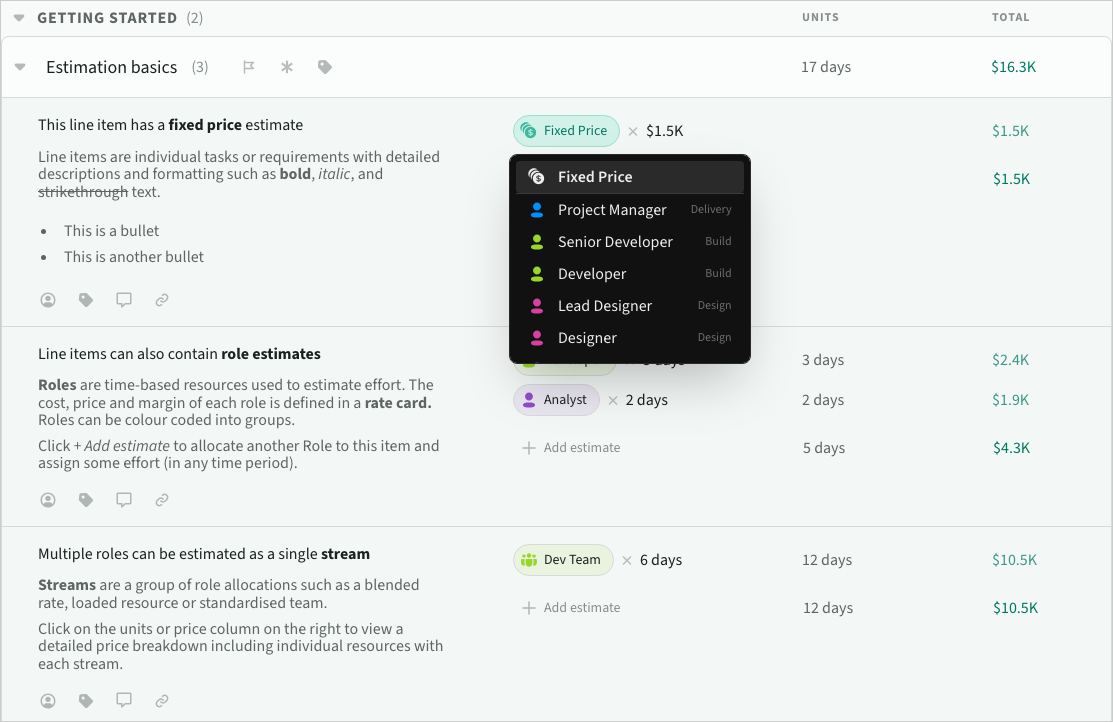 Choosing an estimate's resource
Contingency and risk
Contingency is a percentage added to raw estimates to cover the cost of 'known unknown' risk that would likely result in additional costs
Contingency is defined as a range (default, min, max) in Settings > Rates and currency
Contingency is automatically applied to items based on their risk level (none, low, normal, high) and added to the raw time estimates.
Risk is also used to help automatically prioritise items when adjusting scope (removing the highest risk, lowest priority items first).
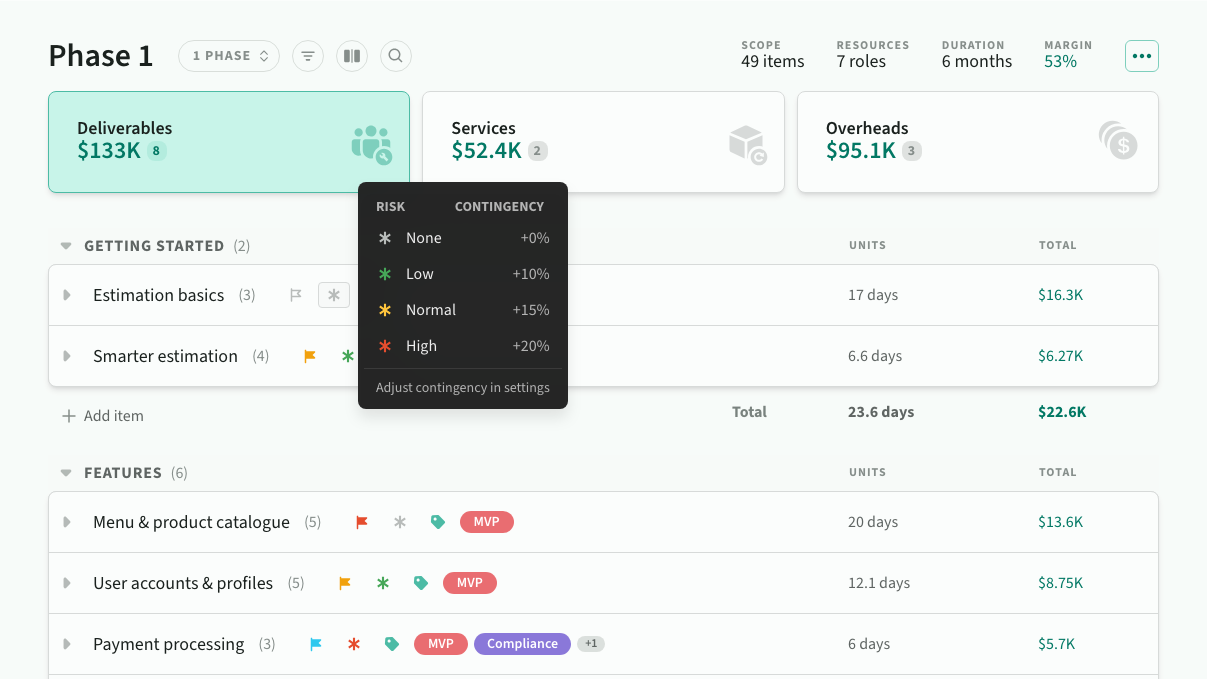 Setting item risk
Pricing
The second stage of the Deal creation workflow is finalising the scope, schedule and price of each phase.
Scoping
Scope is the subset of estimates to include in the final price
Scope is used to quickly refine the overall price and functionality of the phase:
- View a breakdown of scope by priority, item and stream
- Descope groups of line items by priority, item or stream
- Adjust scope by gradually removing lower priority, lower risk items
- Change the rate card and/or margin for the phase
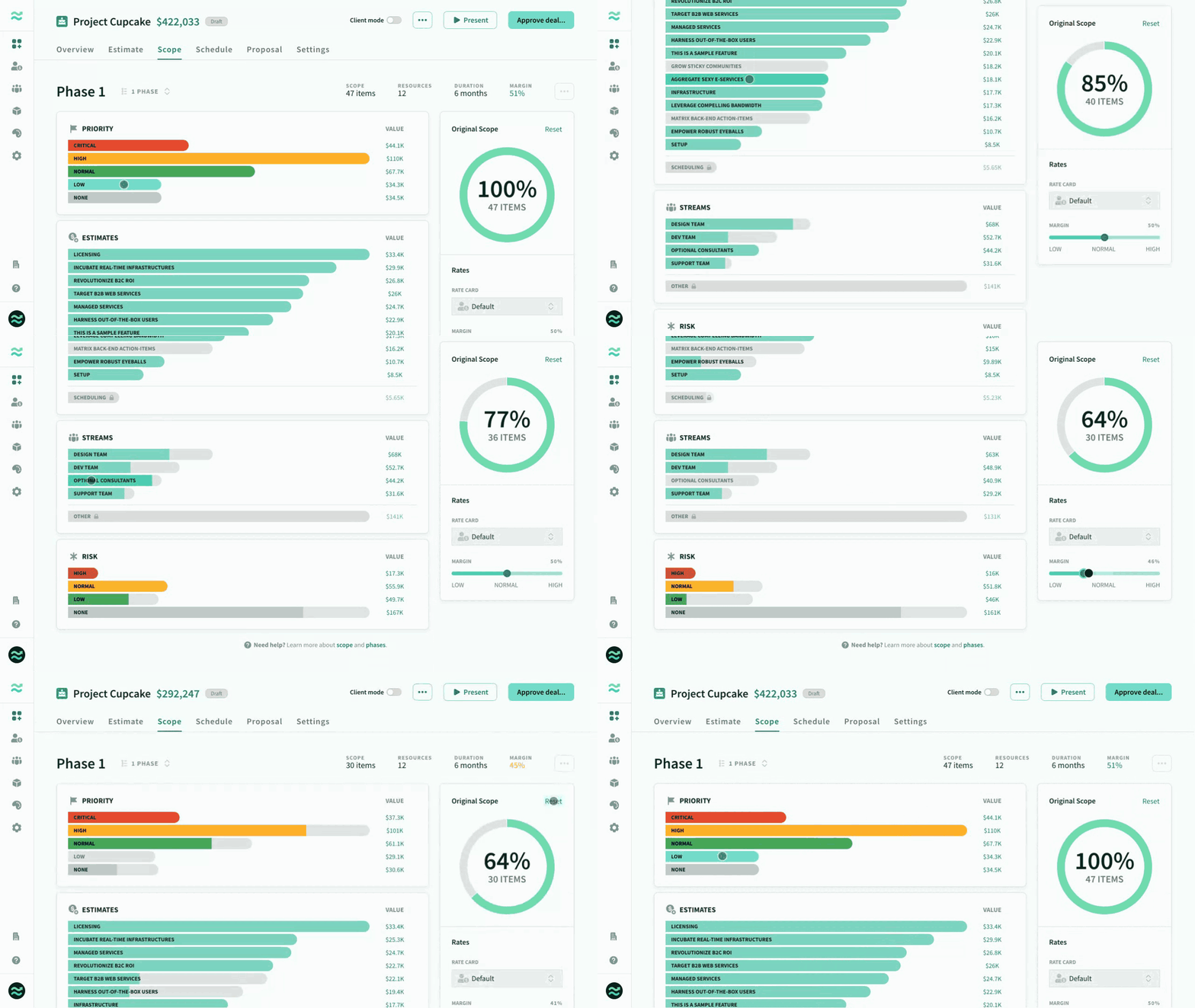 Adjusting the scope of a phase
Scheduling
Schedule is the estimated timeline and resourcing demand required to deliver the in-scope functionality
The schedule is used to adjust the total estimated duration and headcount for the phase, which in turn impacts the overall resourcing price.
- Adjust the duration
- Round resource allocations to a specific delivery cycle (week, fortnight, month, etc)
- Distribute partial resources to the start, end or middle of the phase, or distributed equally
- Change the rate card and/or margin for the phase
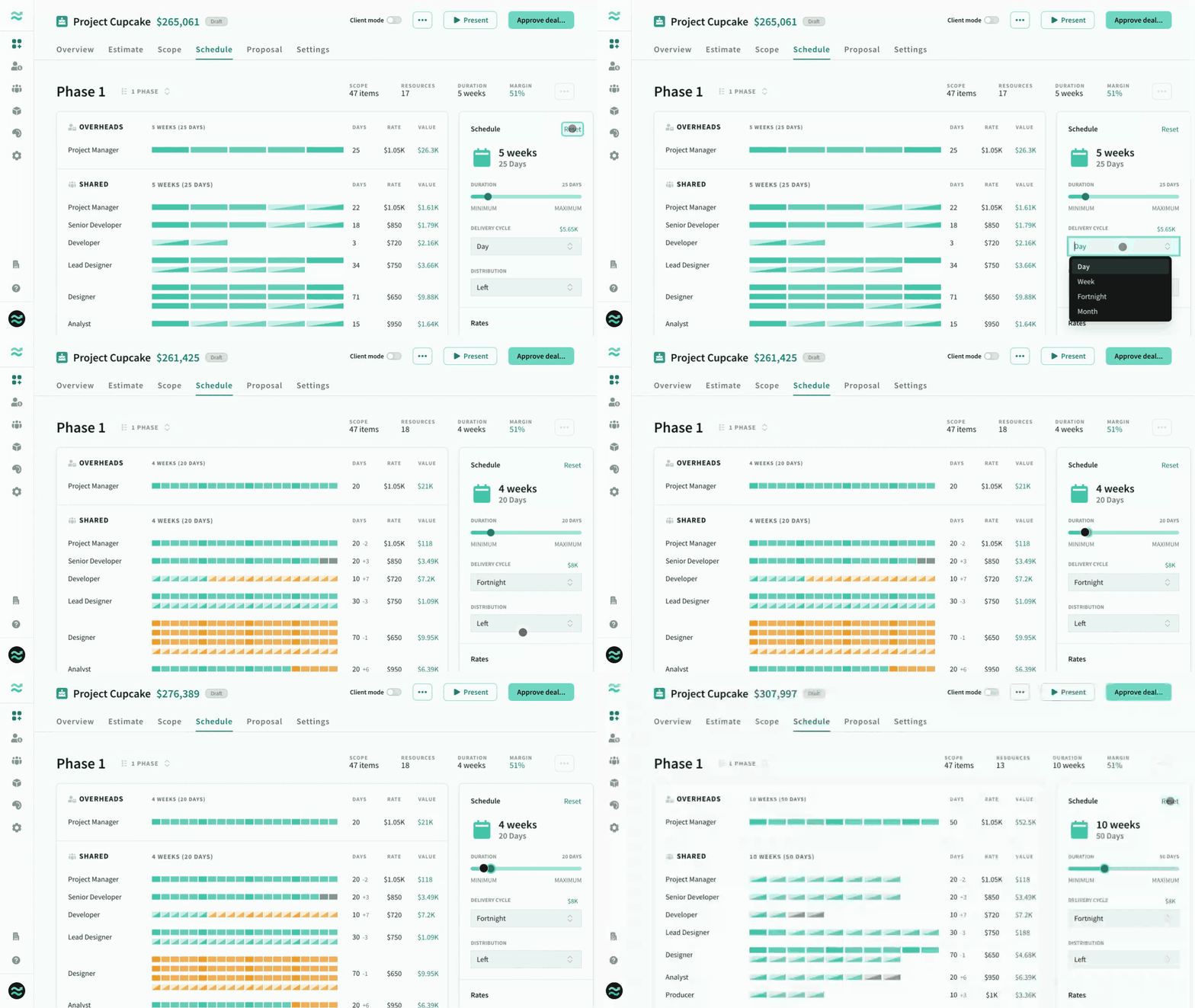 Adjusting the schedule of a phase
Payment milestones
Payment milestones describe your expected payment structure based on deliverables, due dates and price.
Use payment milestones to describe your expected payment structure based on progress, deliverables, due-dates and pricing
- Choose a preset based on equal progress payments, or create custom milestones
- Schedule due dates based on deal / phase progress, relative days or fixed dates
- Calculate price as a percent of total deal value or as a fixed amount
Like everything in Estii, dynamic milestones automatically adjust to changes to your deal price and duration, and are presented as beautiful waterfall charts within proposals.
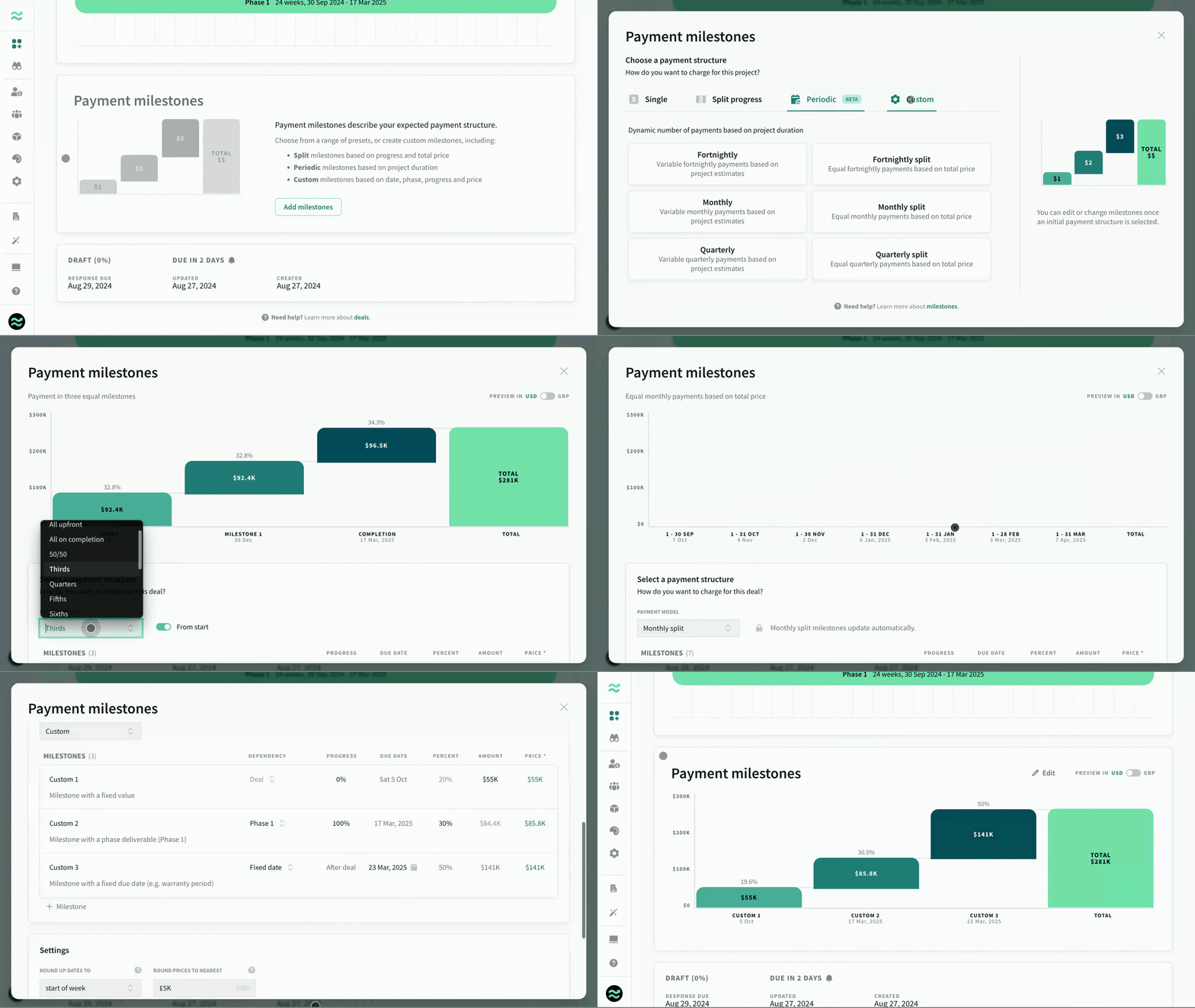 Adding payment milestones
Rate cards and margins
Rate card
Each phase has an active rate card that determines the cost and price for roles. New deals default to the default rate card, however it can be changed if multiple rate cards exist in the space.
Margins
Each rate card contains a low, average and high margin range that is used to calculate the price of roles.
Phases default the average margin to calculate role prices, however they can be adjusted to increase or decrease price and profitability within the defined range. When you change rate card, the margin will reset to average.
Deal currency
The deal currency determines how final pricing is displayed/exported to buyers, along with the exchange rate.
Actual estimates and internal pricing use the default Space currency (managed in Settings > Rates and currency)
Presenting
The final stage of the deal creation workflow is presenting approved deals with external users and stakeholders (guests).
Proposals
Proposals are externally-facing, branded versions of your deal that are suitable for guests.
Estii automatically generates and populates templates based on the contents of your deal — so you never have to update them manually.
You can preview and adjust template settings (and appearance) from the presentation tab on a deal.
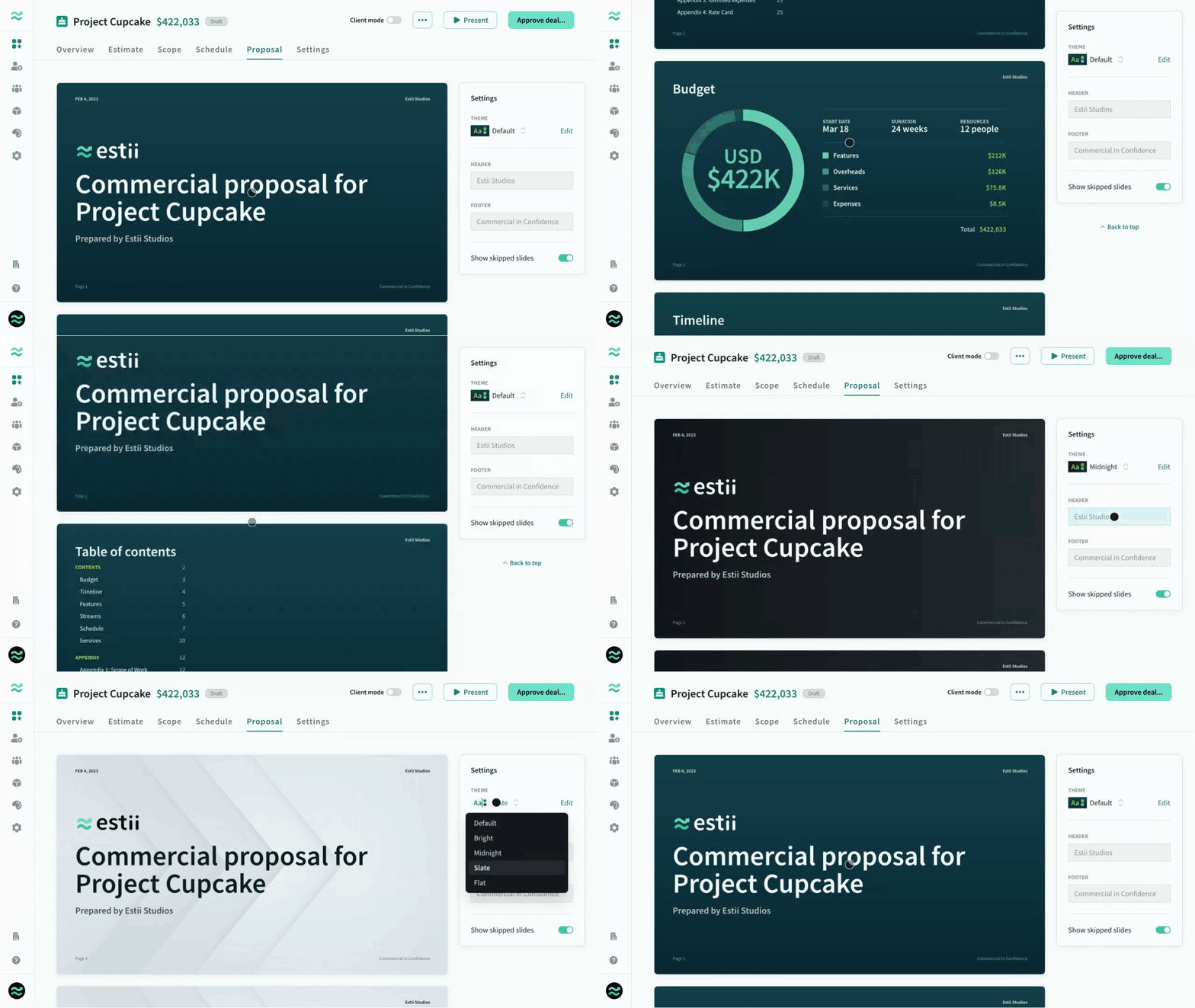 Customising your proposal
Themes
Themes are style guides that are used to brand your proposals. They are managed at the space level.
You can create and manage multiple themes across your deals — with editable logos, colours, images and fonts to ensure deals are on brand.
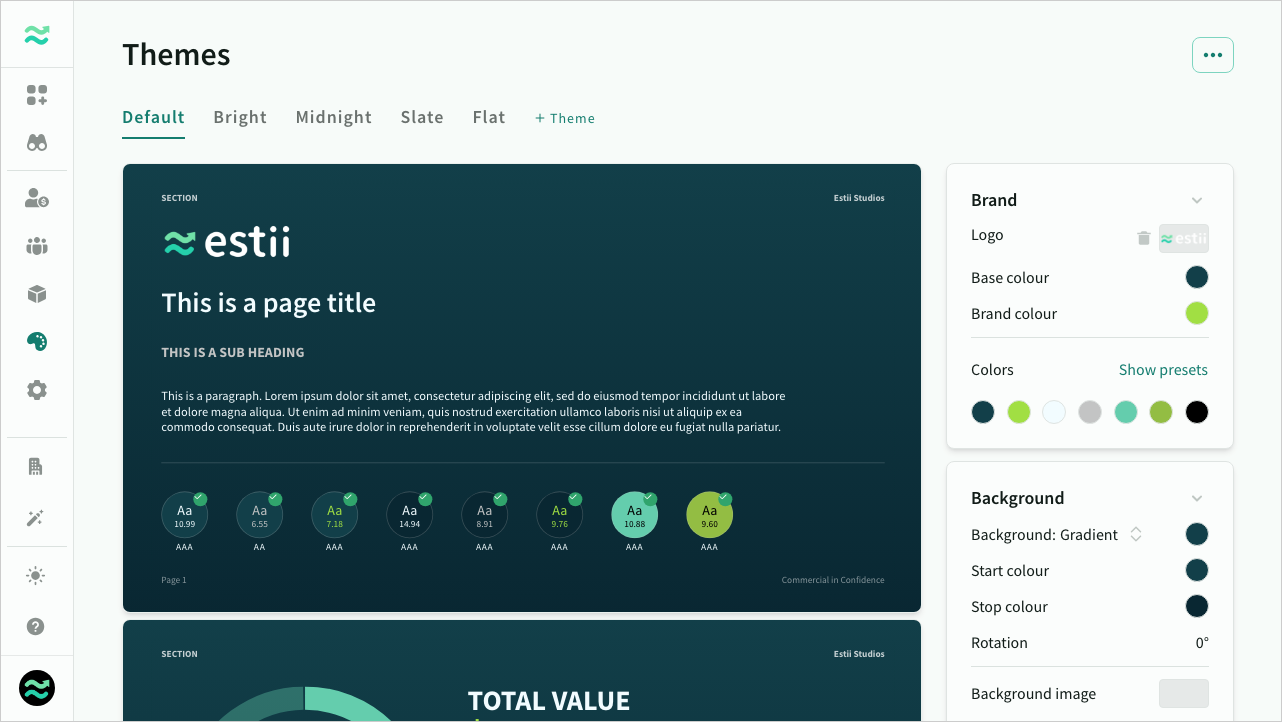 Editing a proposal theme
Proposal viewer
The proposal viewer is a standalone portal for invited guests to view and download final proposals
The proposal viewer is a standalone version of the deal for external guests (target customers or decision makers) that only contains approved versions of the deal.
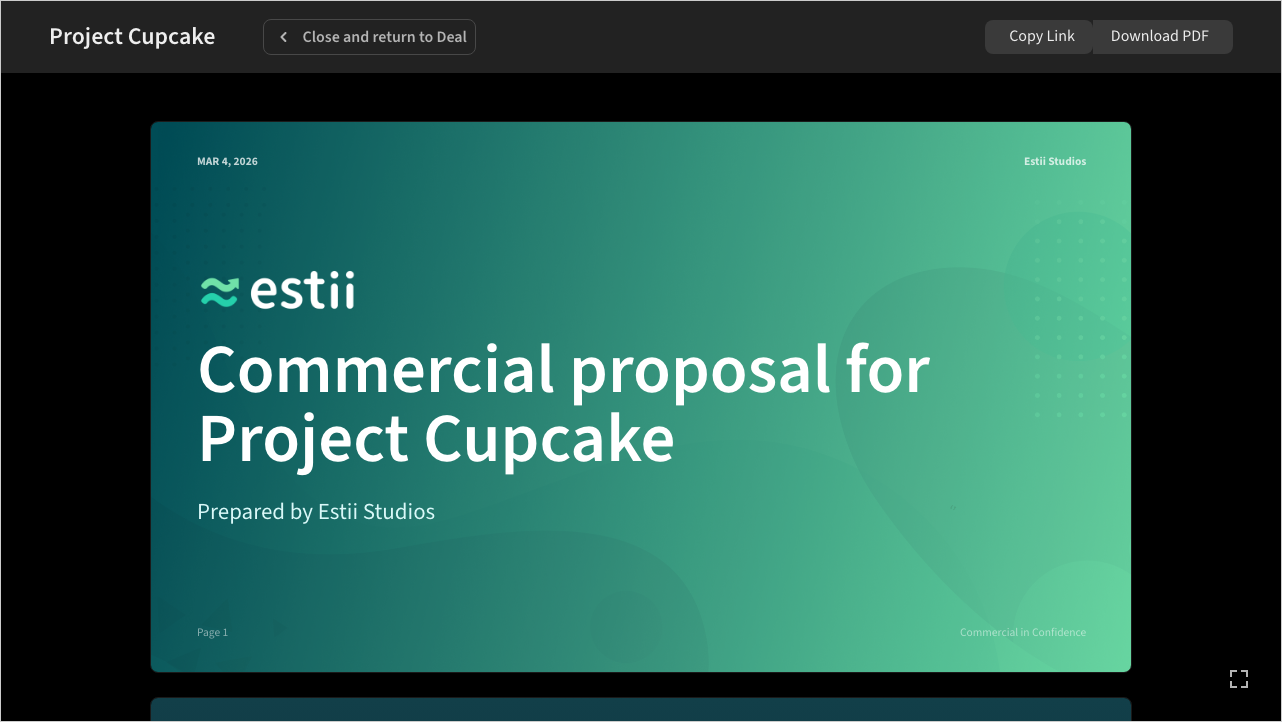 Presenting a proposal