 Getting started
 Pipeline
 Forecasts
 Deals
Deals Deals (advanced)
 Proposals
 Exports
 Resources
 Integrations
 Settings
 Glossary
 FAQs
FAQs Releases
Phases
IN THIS ARTICLE
A Phase is a subset of a deal containing the price, scope and schedule for a set of estimates.
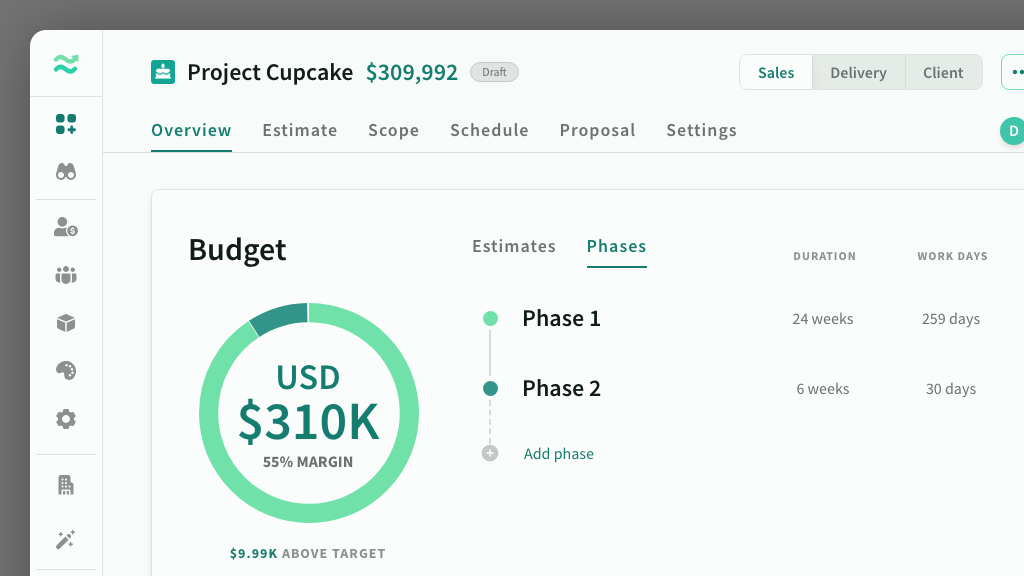
Deals are organised into a linear sequence of phases — each containing the scope and schedule for a set of estimates that are delivered together for a specific value (price).
Use phases to break a deal into distinct stages such as Discovery, Build and Run, or to separate different workstreams that have their own timeline and budget. Each phase has its own categories, estimates, scope, schedule and rate card, while the deal overview aggregates totals across all phases.
The first phase is created automatically when you create a deal. You can then add more phases as needed.
View phases
You can view the phases in the deal overview, or via the phase switcher on the estimates, scope or schedule page of a deal.
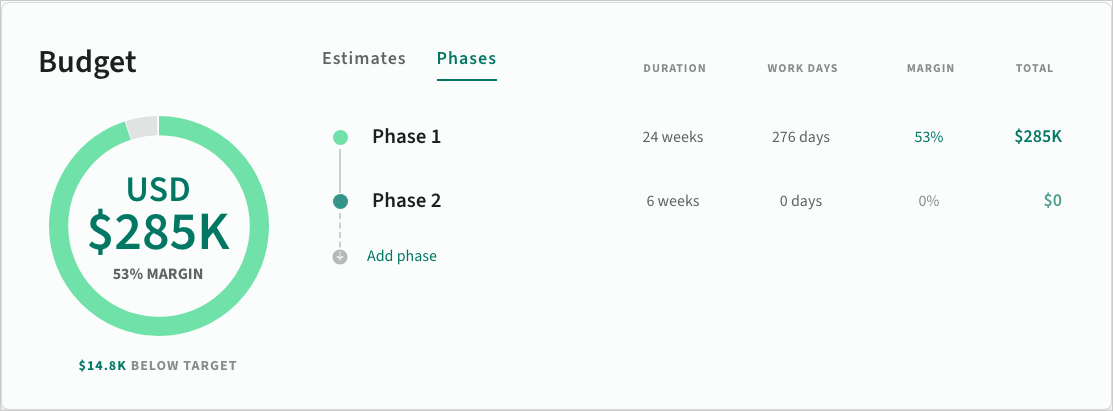 Summary of phases on the deal overview
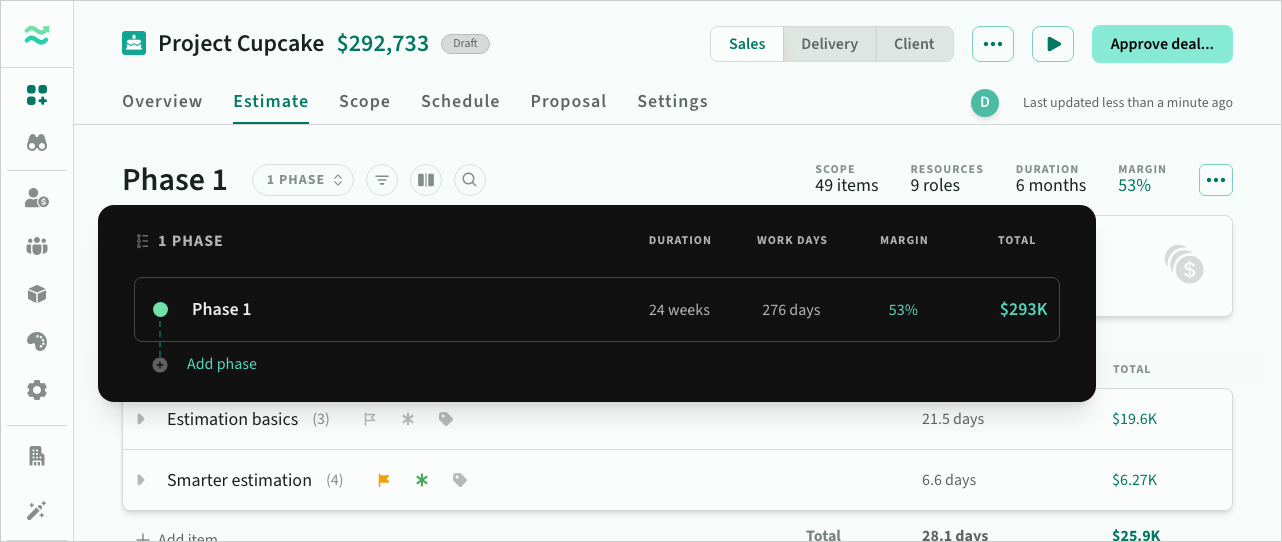 Switch (or edit) phases directly from other pages
Managing phases
You can add, remove, reorder and duplicate phases.
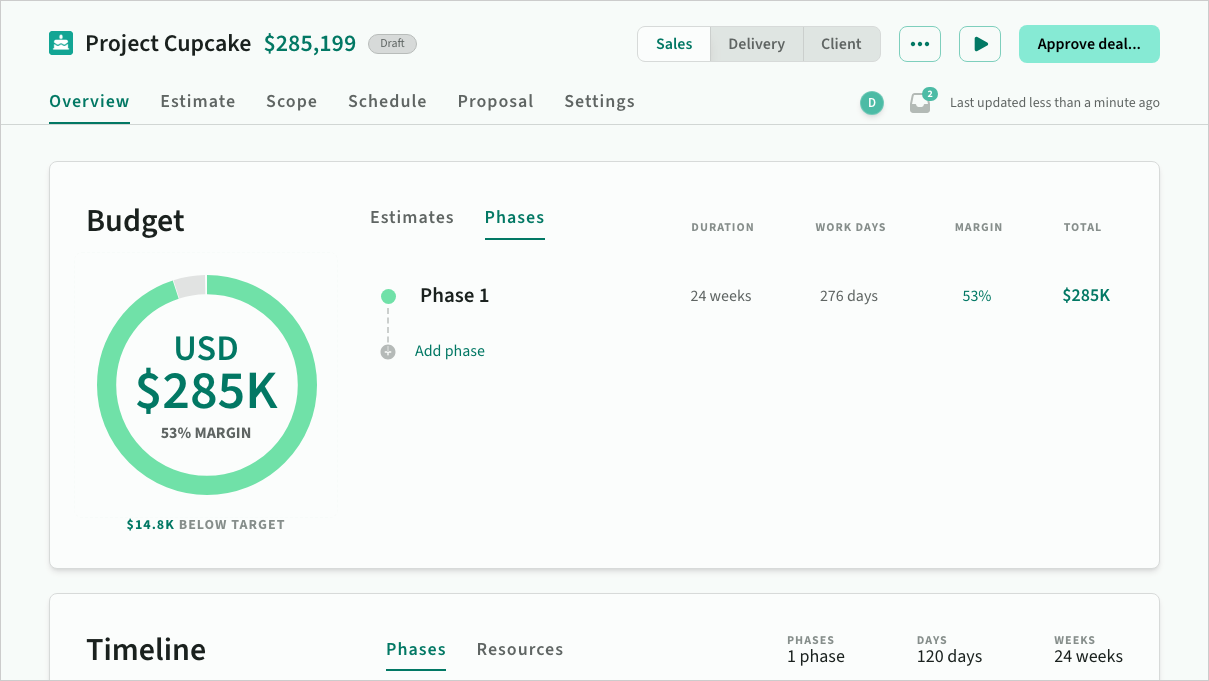 A default phase is created as part of a new deal
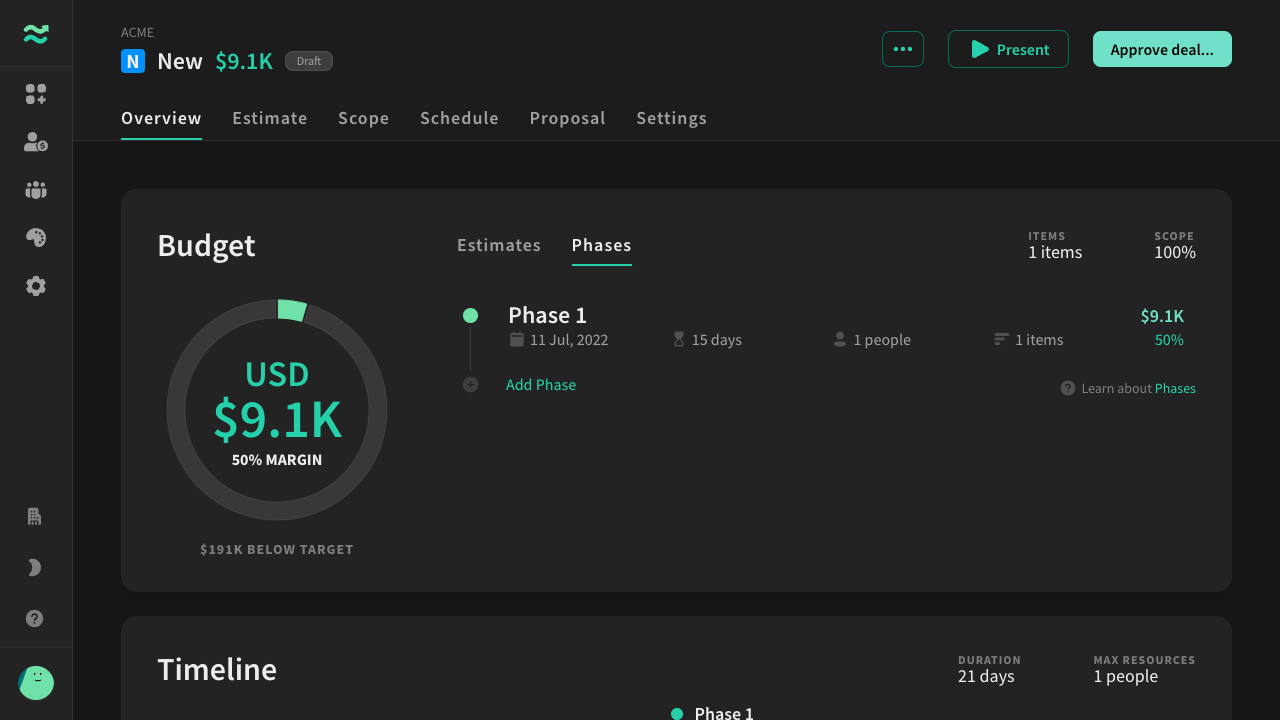 As you add estimates, progress appears against the target price (if set)
Phase templates
Phases are created from templates that define the categories available within the phase and the rules for each category.
A phase template contains:
- Category templates — the name, allowed resource types, and pricing rules for each category
- Optional section templates — predefined sections within categories
- Default ordering — the tab order of categories
Built-in templates
Estii includes two built-in templates:
- Standard — a simplified structure with Deliverables (fixed effort), Services (recurring products), and Overheads (flexible fixed or recurring costs)
- Blank — a single flexible category allowing all estimate types
You can duplicate and customise these templates, or create new ones from scratch.
Some existing customers may also still have a Legacy phase template in their space. It uses the original category names (Features, Overheads, Services, Expenses), but it still runs on the current category and section model. See Classic template for details.
Choosing a template
When creating a deal or adding a phase, you choose which phase template to use, or use the default.
- Phase templates are structural blueprints defining categories and sections only
- Deal templates are populated blueprints containing estimates, settings and structure